Activity Guide
14 Tech-Design by Lab-Volt
Methods of Programming Automation & Robotics
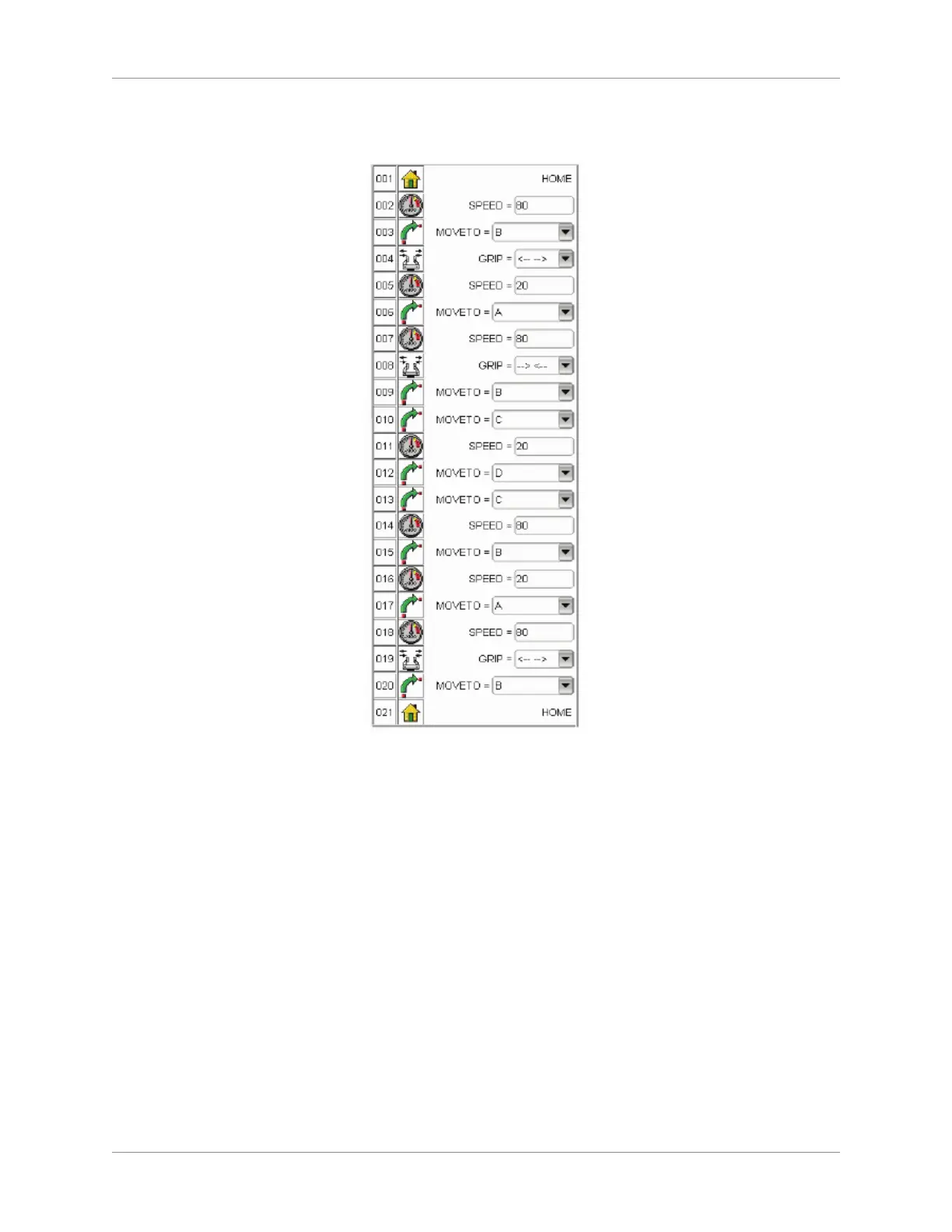
Your program should look as the graphic shown here.
Edit Window
Save your new program by selecting File and then Save. 2.
Test the Program
Before you can test the program in the Simulation Mode, you need to build (compile) it.
Click on the tab of program P0 to select it. 1.
Select Compile from the Build menu of the Program window to start the compiling process. If errors 2.
are detected, correct them and start the compiling process again.
Run the program in the Simulation Mode (Make sure you are in Simulation Mode).3.
In the animation toolbar of the Program window, select ‘Execute’ from the ‘Run’ drop-down menu, or 4.
click on the Execute button to start execution of the program.
Once execution of the program is completed, click several times on the Execute step by step button, 5.
and observe the action performed by the robot for each separate command.
Finally, check the Run Continuously button, and click on the Execute button, which will cause the 6.
program execution to repeat itself.
Click on the Pause button and observe that this pauses the program. Resume execution of the 7.
program by clicking on the Execute button.



 To Next Page