CloudBox User Manual 124
File Browser - User
TRANSFER, COPY, AND DELETE FILES
Use the File Browser to transfer, copy, and delete files, as well as view photos in thumbnails and even stream
multimedia content such as MP3 music files.
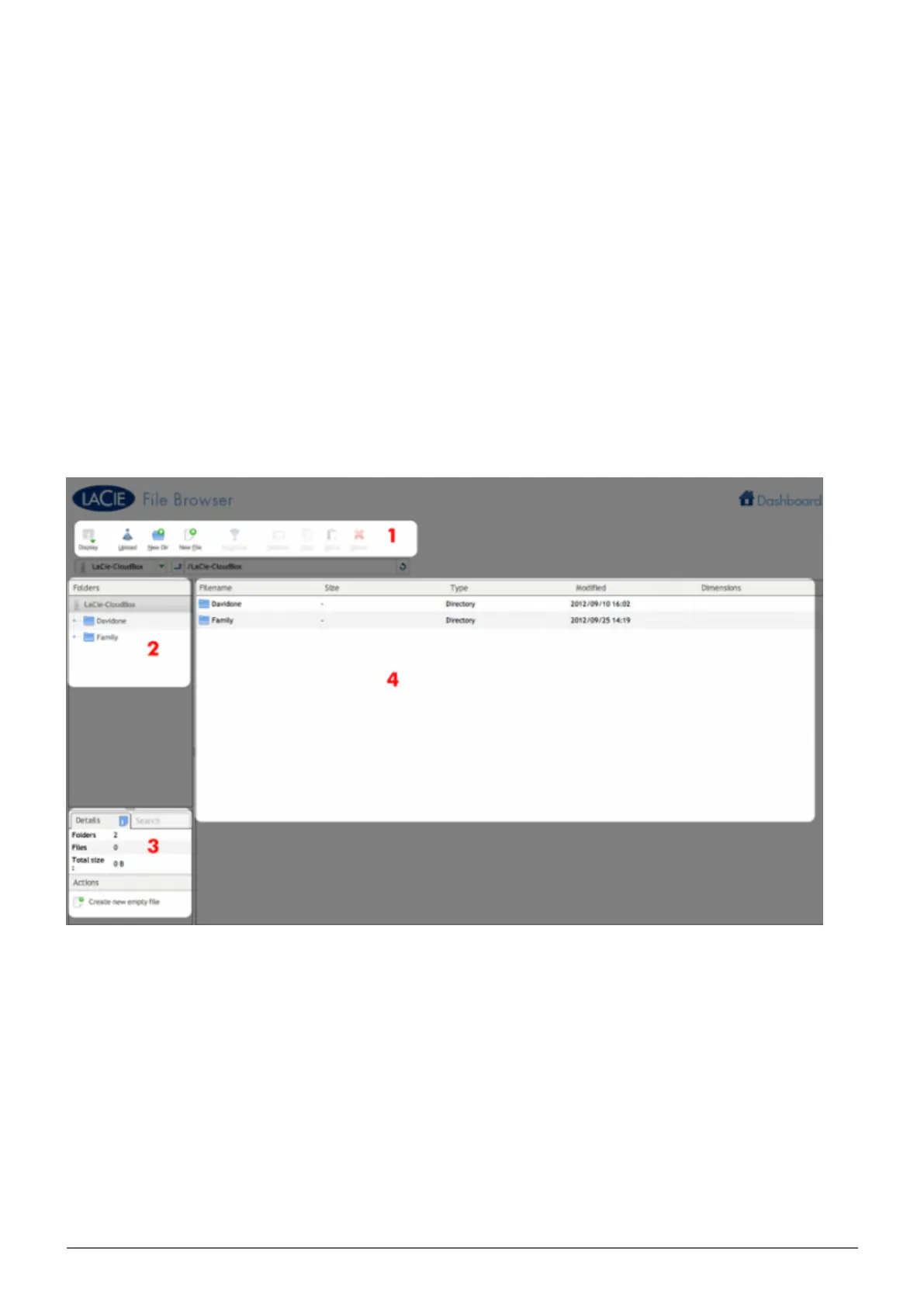
The File Browser is composed of four parts:
The toolbar allows you to perform a range of functions, such as changing the way files are displayed and1.
uploading files to streaming files and creating folders.
Folders shows the folder structure on the selected share.2.
Details displays information on a selected file, such as name, thumbnail (image files), file type, dimensions3.
(photos), or duration (videos), while Search allows you to search for files based on file name.
Review the files within a select folder. To view the files as thumbnails, click Thumbs in the Tool bar.4.















 To Next Page