CloudBox User Manual 35
LACIE INTEGO BACKUP
To downloaded LaCie's backup software for Mac, please go to LaCie Intego for Mac. Once it has downloaded,
launch the installer and follow the onscreen directions. You may be asked to restart your computer.
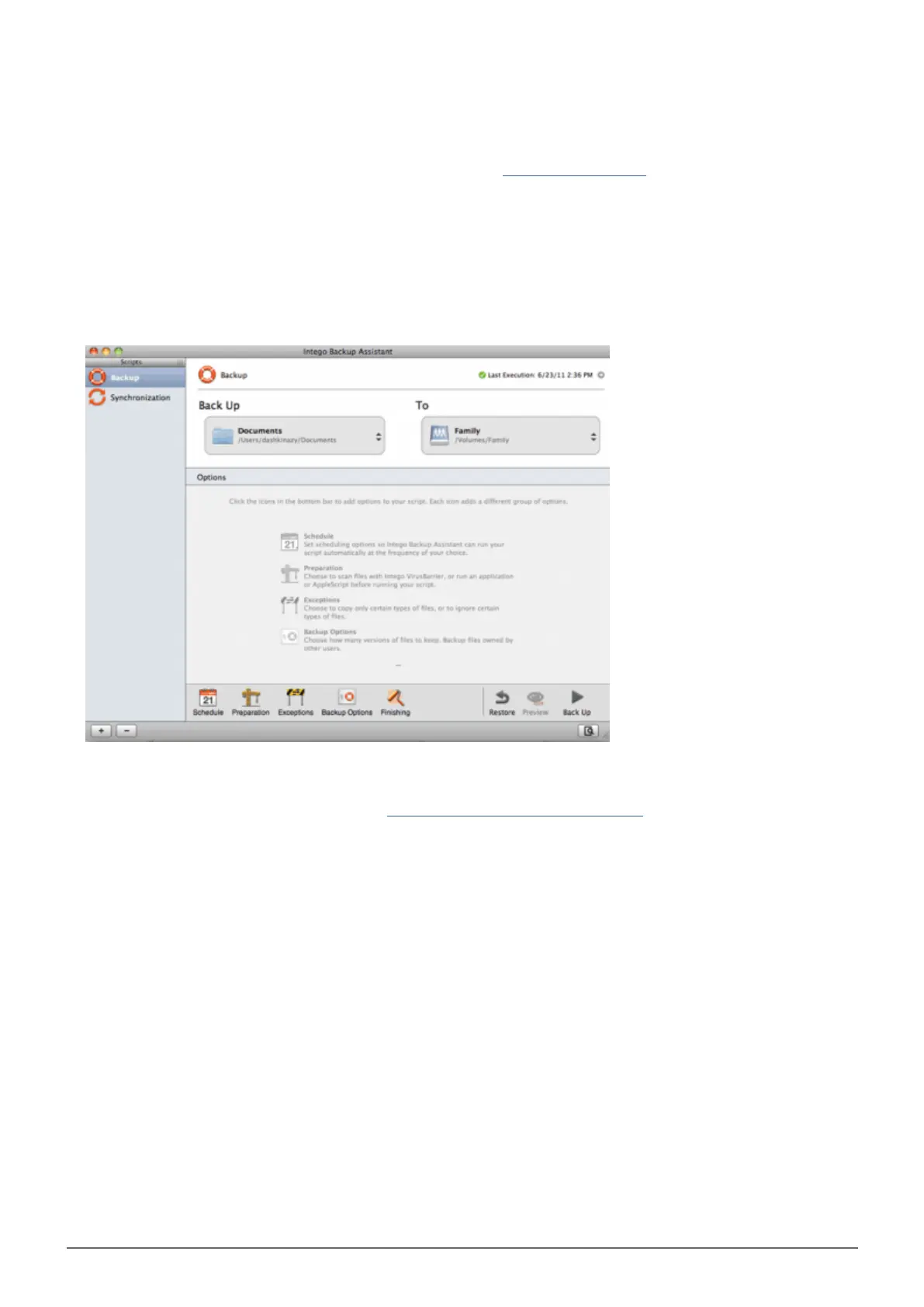
To launch LaCie Intego for Mac from the Finder, select Go > Applications > Intego Backup Assistant1.
Intego allows you to choose the folders you wish to backup. Below Back Up, select Click to choose a2.
Source to browse for a folder. You may click on it multiple times to choose additional folders.
Below To, select Click to choose a Destination to navigate to the LaCie CloudBox Family folder.3.
With your source(s) and destination selected, click on the Back Up button on the bottom right.4.
For further information on how to use Intego: Intego Personal Backup User Manual.















 To Next Page