CloudBox User Manual 8
B - CONNECT THE POWER SUPPLY
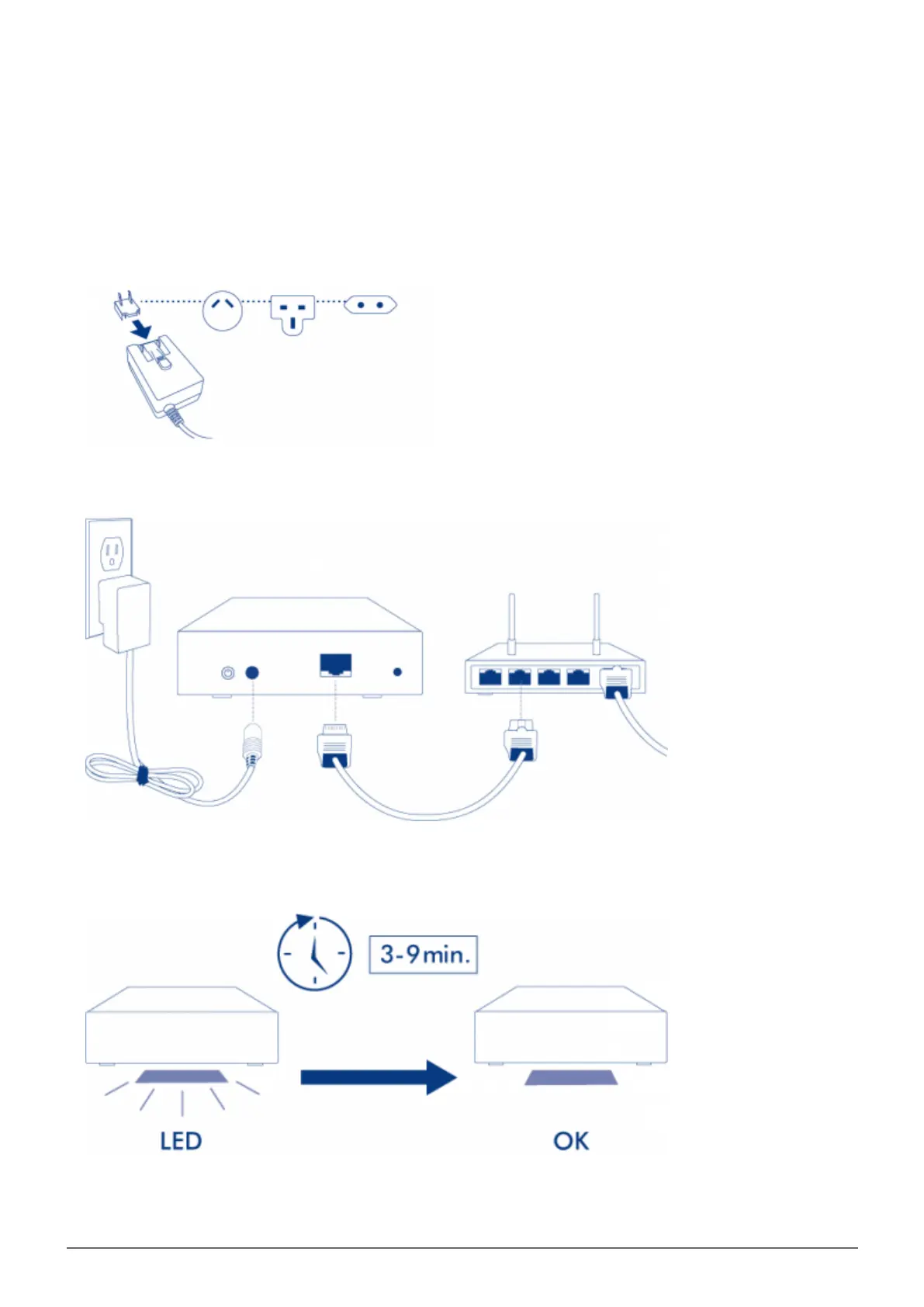
Before attaching the plug to the power adapter, check your electrical outlet for the compatible plug. Note the1.
guides on each end of the power adapter then carefully slide the plug into place. You will hear a snap,
indicating the plug has been properly connected.
Connect the power supply to a wall outlet and to the LaCie CloudBox. It will power on immediately.2.
The LaCie CloudBox may take up to nine minutes to boot. Go to the next step once the blue LED has stopped3.
blinking.















 To Next Page