Computer connections should be made via DJI Copilot’s USB-C port.
USB-C port
DJI Copilot is a large capacity hard drive and hub when connected to a PC/Mac.
DJI Copilot’s USB-C port is meant for connection to a computer. Use computers with the following operating
systems:
macOS 10.12 (Sierra) and higher
Windows 10 and higher
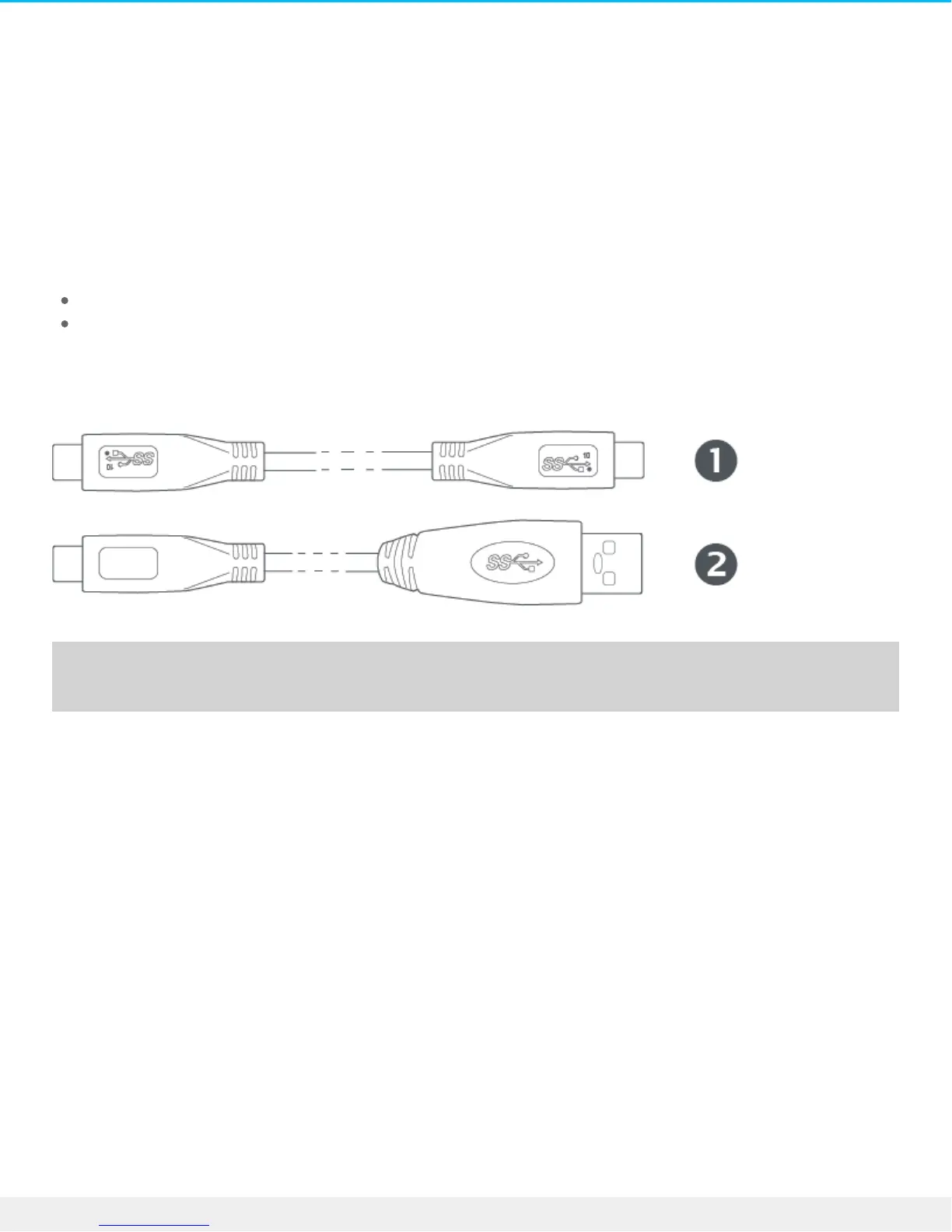
Connect your computer to DJI Copilot using one of the included cables:
1. USB 3.1 Type C
2. USB 3.0 Type C to A
Recommendaons for USB-C connecons
Power delivery to DJI Copilot
DJI Copilot can receive a charge for its battery when connected to a computer via the USB-C port. The
amount of charge depends upon the power delivery offered by the computer.
Copilot BOSS app and the USB-C connecon
To use DJI Copilot as a hard drive for a PC/Mac, make sure it’s in power saving mode before connecting it to
a computer. In this state, data transfers are managed by the computer rather than DJI Copilot and the Copilot
BOSS app—the app cannot read or write files on DJI Copilot. Power-saving mode is initiated after two
minutes of inactivity, or can be selected from the Copilot BOSS app settings.
When connected to a PC/Mac while a mobile device is connected or a copy is in progress, DJI Copilot only
receives charge for its battery in order to avoid interrupting current activities.
Refresh aer disconnecng from computer











 To Next Page