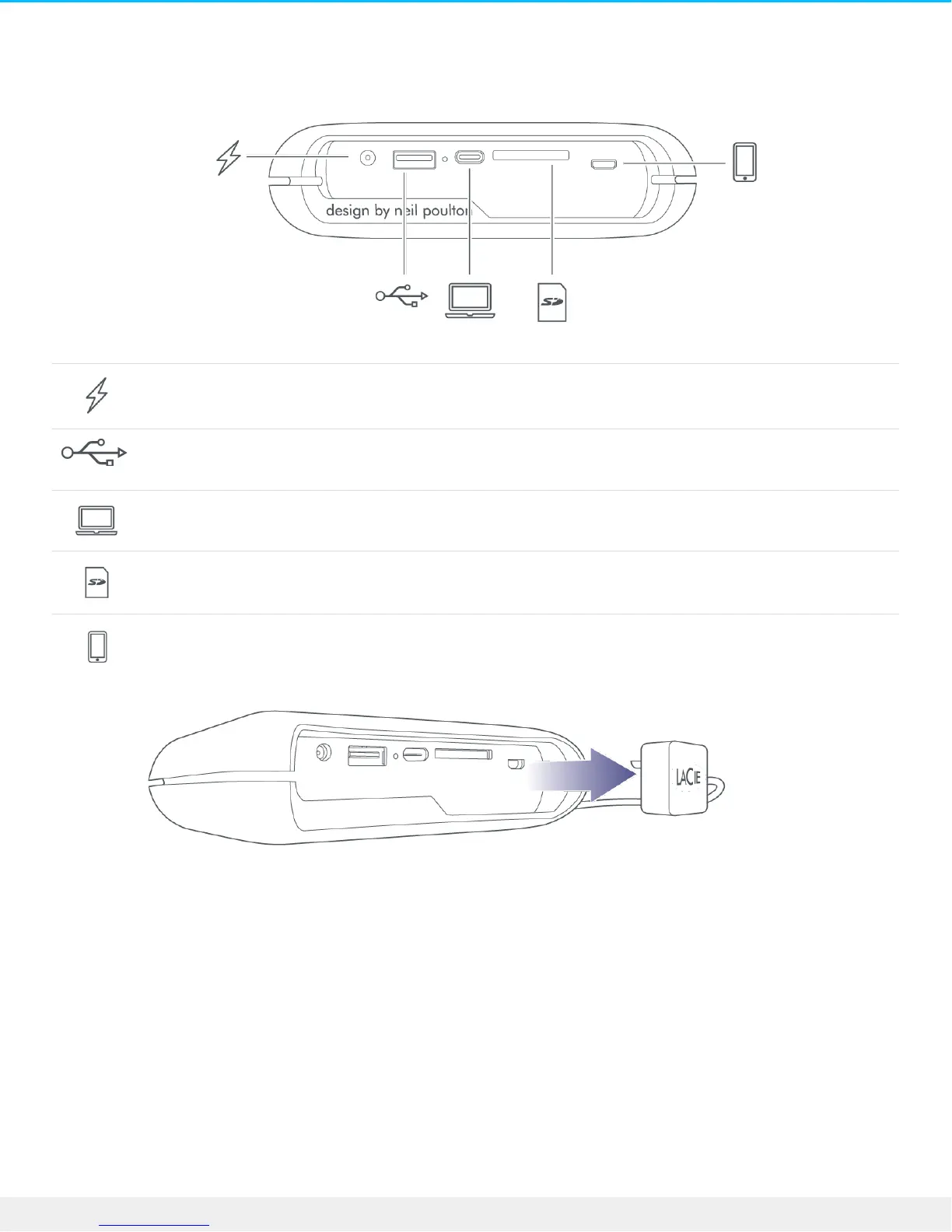
Ports
Charge your DJI Copilot. Only use the power supply included with your device.
The USB Type A port allows you to connect a wide range of devices to DJI Copilot. Press the
action button to transfer all files (Easy copy), or manage files using the Copilot BOSS app.
The USB-C port connects DJI Copilot to Windows and macOS computers.
Insert a Secure Digital (SD) card or a micro SD card with the adapter. Press the action button to
transfer all files (Easy copy), or manage files using the Copilot BOSS app.
Connect a mobile device to DJI Copilot using one of the three custom cables and use the
Copilot BOSS app to manage files. Make sure to use the custom cables included with DJI
Copilot.
LCD Guide
The LCD provides information and prompts.











 To Next Page