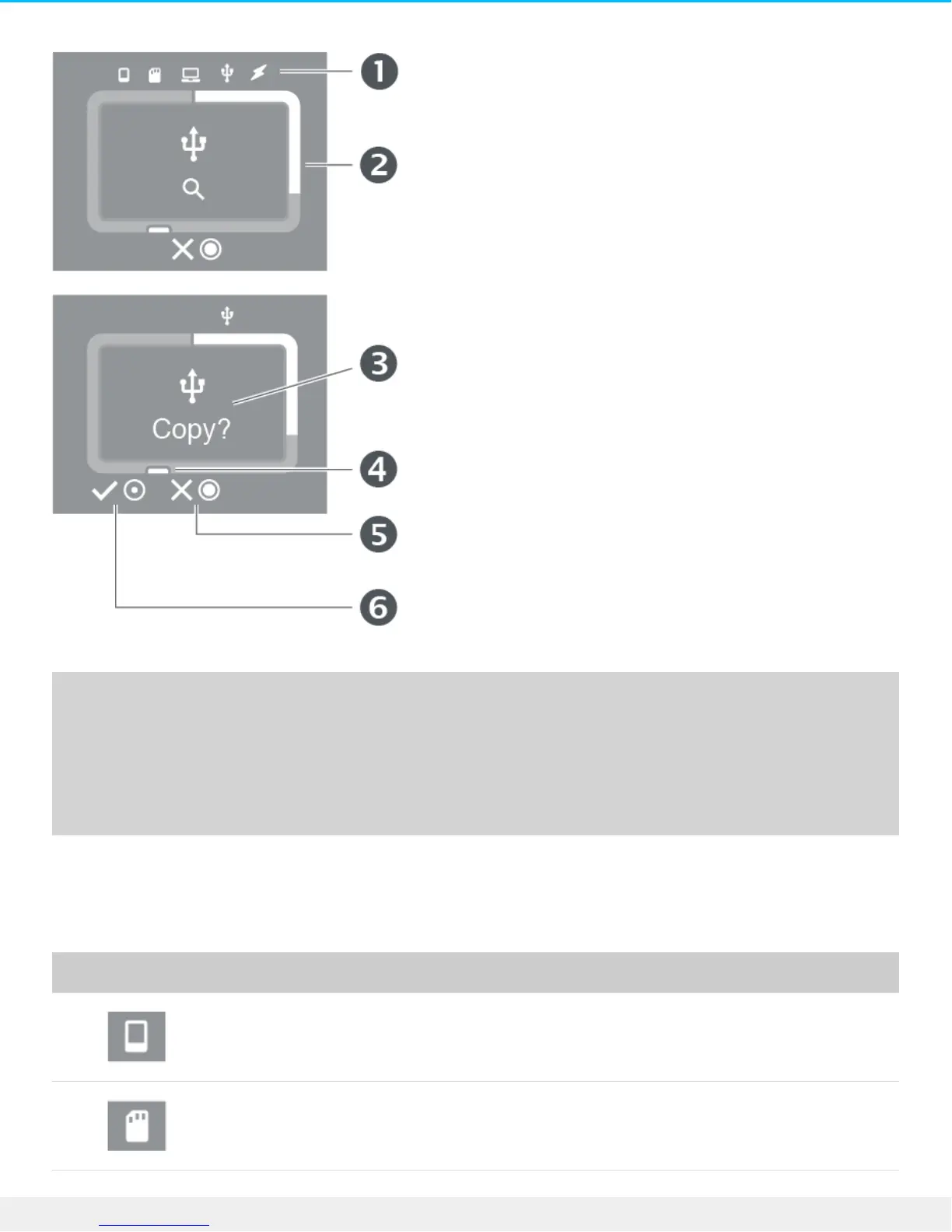
1. Connections
2. Storage meter (white = storage used)
3. Prompts and information
4. Action button (actions and status)
5. Press and hold the action button for 3 seconds (long push) to cancel
6. Press the action button for 1 second (short push) to confirm
The LCD is not touch-sensitive—it can’t be used to initiate actions or respond to prompts. Always use the
action button to confirm or cancel actions.
Connections
Mobile device connected.
SD card inserted.











 To Next Page