90038900rev00
- 46 -
SETTINGS
SOUNDS
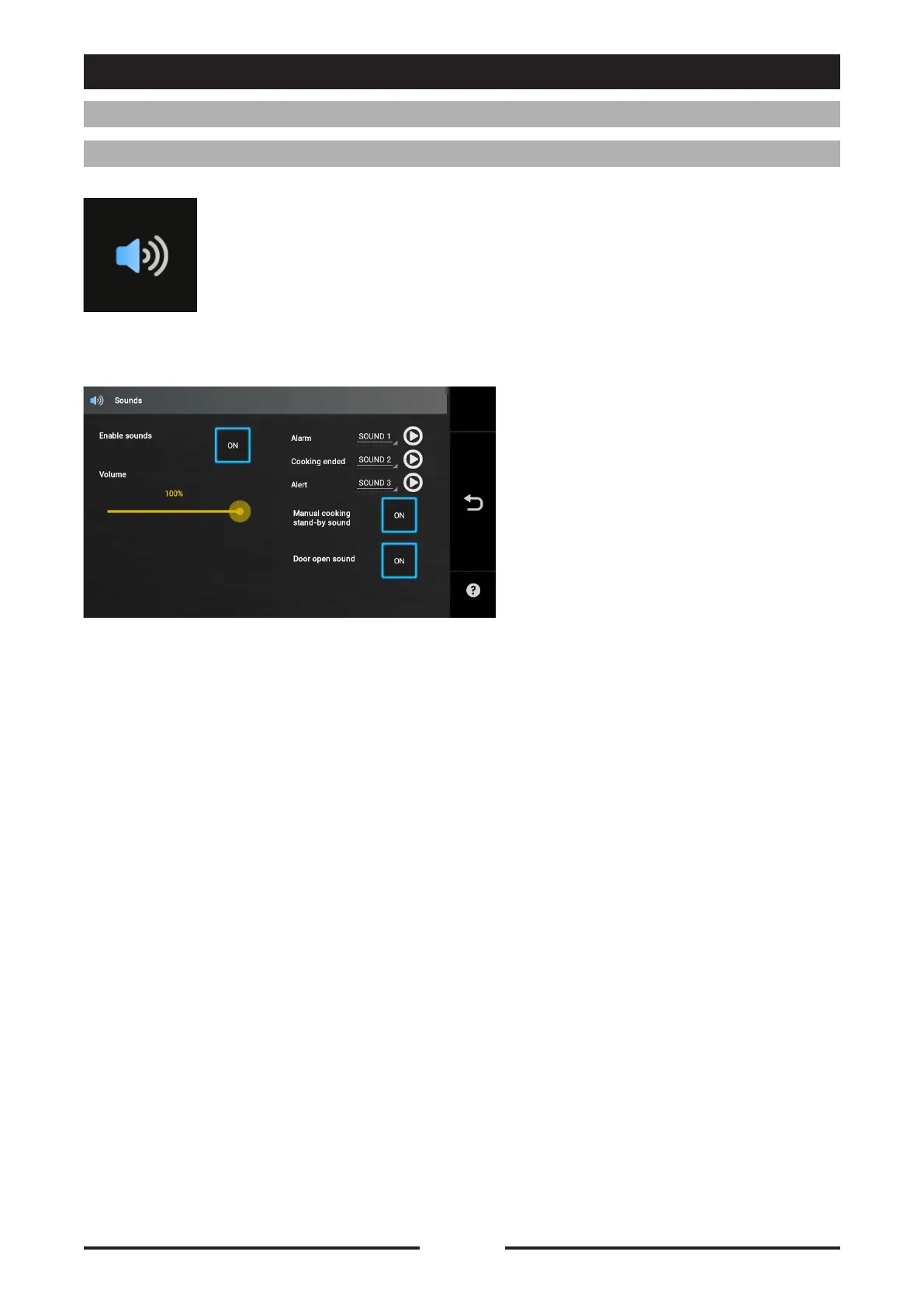
Press the icon to access the Sound settings
Enable sounds:
Set to ON to enable sounds
Volume setting:
Drag the cursor to increase or
decrease the volume
Alarm: Select the sound for alarms
Cooking ended: Select the sound for
end-of-cooking
Alert: Select the sound for messages/
alerts
Manual cooking stand-by sound:
Set to ON to enable the sound for
manual cooking stand-by
Door open sound:
Set to ON to enable the sound at the
opening of the door
USER PREFERENCES







 To Next Page