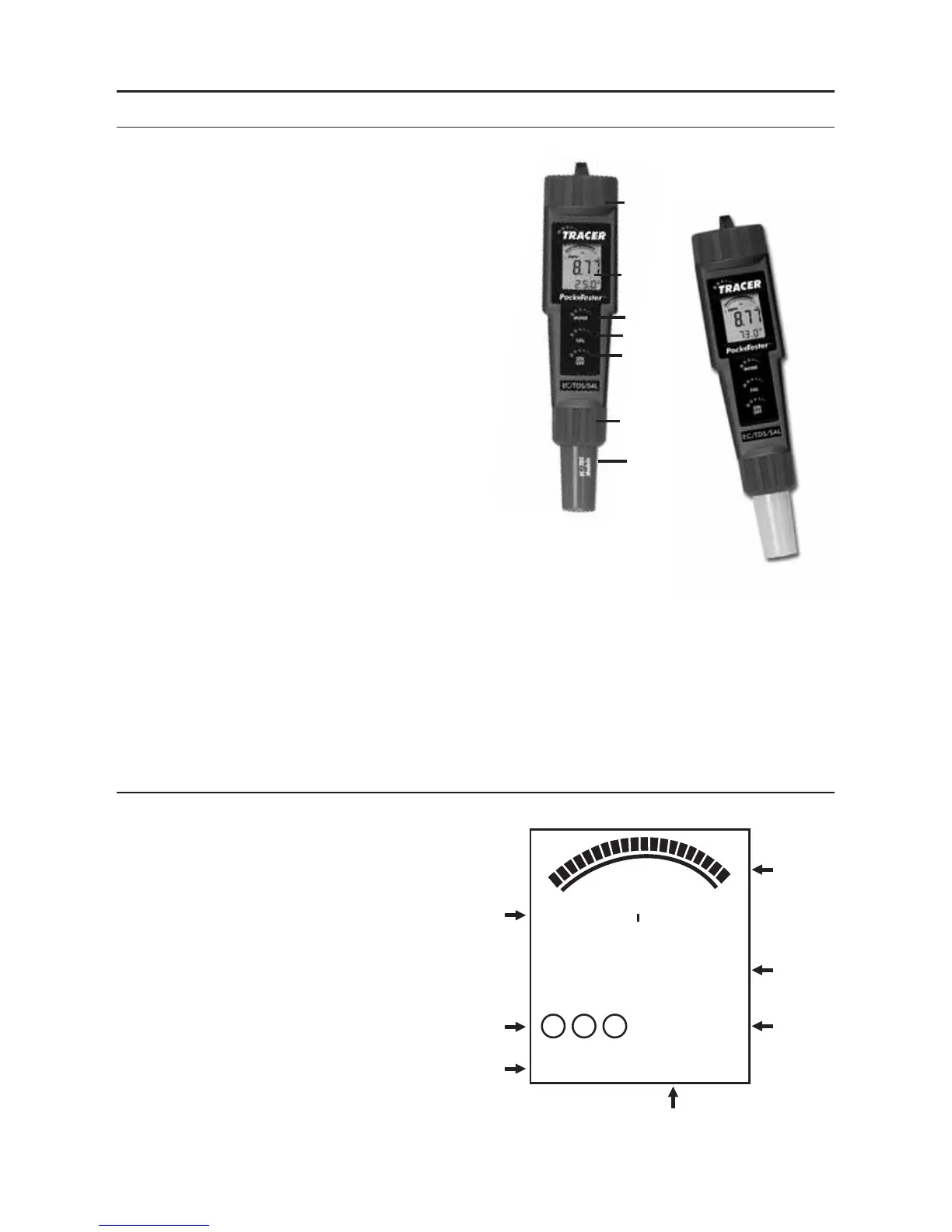
METER DESCRIPTION
Front Panel Description
1. Battery compartment cap
2. LCD Display
3. MODE/HOLD button -
change mode, hold data, store data
4. CAL/RECALL button -
calibration, change temperature
units, recall data
5. ON/OFF button
6. Electrode Collar
7. Electrode
(Note: The Electrode cap is not shown)
TRACER Display
1. Bar graph reading
2. Measurement reading
3. BAT (low battery) indicator
4. Temperature display
5. Measurement units
6. Calibration range indicators
7. HOLD indicator
6













 To Next Page