TESTING
Getting Started
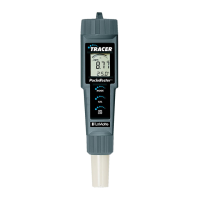
1. Remove the cap from the bottom of the TRACER to expose the
electrode.
2. Before the first use, rinse the electrode in deionized water and dry.
3. For best results, calibrate for conductivity with a standard in the
expected range of the sample. For maximum accuracy calibrate from
low conductivity value standards to high conductivity value
standards.
Changing the Measurement Function
The meter can be set to measure Conductivity, TDS (ppm), TDS
(mg/L) or Salinity. To change the mode:
1. Turn the TRACER on.
2. Press and hold the MODE/HOLD button for 2 seconds. The display
will begin to scroll through the units.
µS or mS (Conductivity)
ppm (TDS)
ppm (Salinity “S”)
3. Release the MODE/HOLD key when the desired mode is displayed.
4. Note that the "HOLD" function can not be on when changing
functions.
9













 To Next Page