6.10 Fixation welding (if activated in the settings)
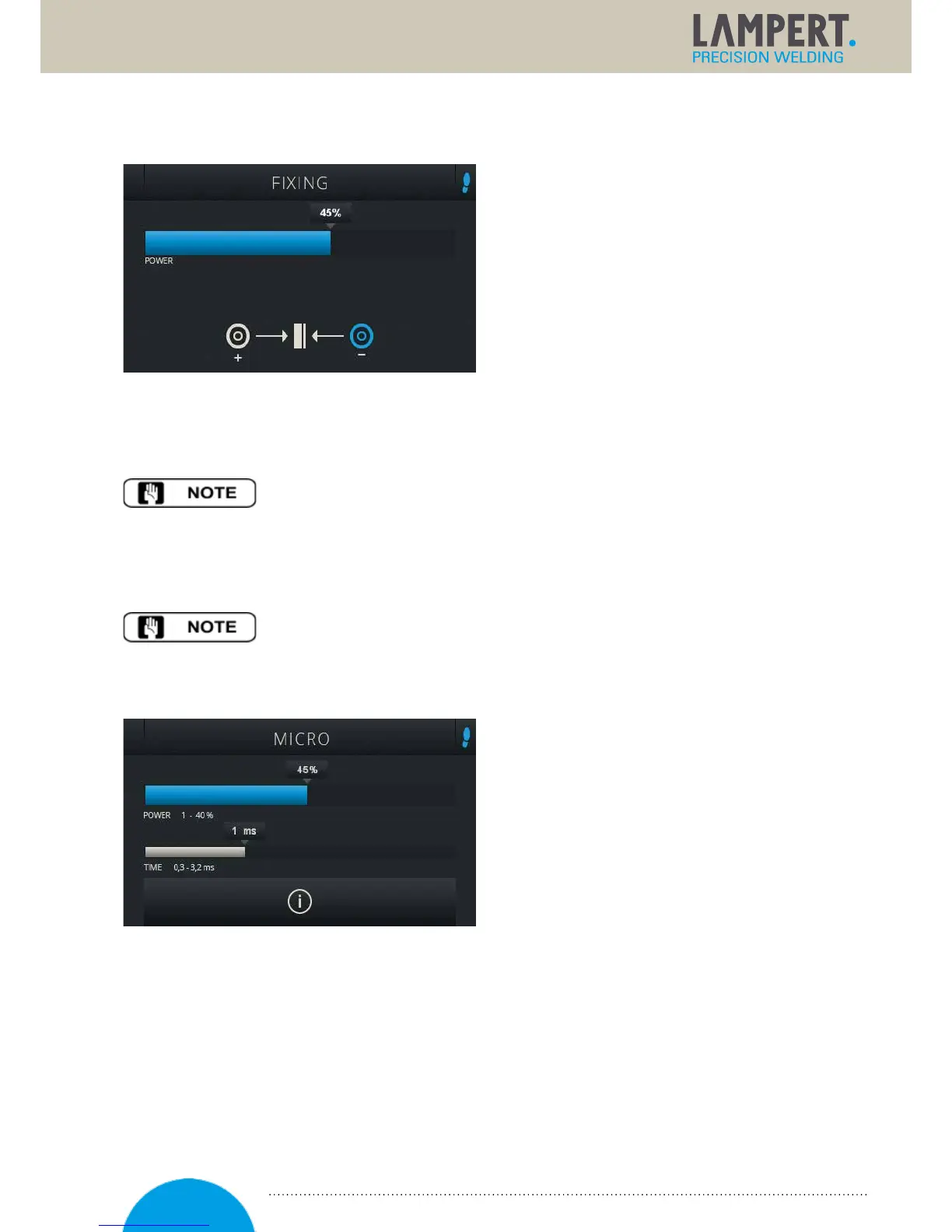
The fixation welding menu can be activated from
the settings user level. After activation, the fixation
welding mode appears as a separate user level,
which is accessed by pressing and holding
themultifunctional controller. This mode is used
forworkpiece fixation. The fixation welding
setisrequired for fixation welding (optional
accessories). Connect both of the workpieces
whichare to be fixed to an area of bare metal,
usingthe blue and the black connection terminal
respectively. The shielding gas is deactivated in this setting. The foot switch is automatically activated in this
menu. When the two parts are touching, the welding process can betriggered, using the foot switch. The hand
piece is not used during this process.
Fixation welding is particularly well suited for metals with low electrical conductivity,
for example titanium or steel.
The required welding power is determined by the strength of the connection desired as well as the workpiece
geometry. The welding time setting is of secondary importance in this mode, and it is therefore not possible
tochange the pulse duration.
Once welding has been successfully completed, and before switching to another user
level, please remove the blue connection cable!
6.11 Micro (if activated in the settings)
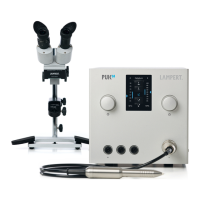
The micro menu can be activated in the settings
user level. After activation, the micro menu appears
as a separate user level, which can beaccessed by
pressing and holding the multifunctional controller.
In micro menu the welding paratmeters can be
adjusted much finer allowing the welding of wires
and sheets with material thickness down to less
than 0.2 mm with even greater control.
6.12 Smoothing mode
Smoothing mode can be activated or deactivated by pressing on the symbol at the top left in the display.
Thisfunction can only be activated in the start menu. This enables a faster welding cycle, e.g. to smooth
surfaces or for increased heat transfer (e.g. to reduce the conductivity of silver). The welding device
independently triggers three times here. If the user switches toadifferent user level, smoothing mode must be
reactivated if required.
21


 To Next Page