CHAPTER 2 ACCES TO TECHNICIAN MENU
NT_820_910_1300_LX_ANG_V1 04_2007.doc
16
5.CHANGING CARD
After accessing to technician menu, it is possible, before changing
electronic board of the washer, choose Changing card using buttons
/
/
/
/
/
//
//
/
//
///
/
4
4
4
44
4
4
44
4
4
44
4
4
4
+
+++
++
+
++
++
+
+
+
+
+
and
/
/
/
//
/
/
//
/
/
//
/
/
/
3
3
3
33
3
3
33
3
3
33
3
3
3
-
--
-
-
-
--
--
--
-
-
-
-
, (communication between electronic board, display and
keyboard must be still existing).
Accept with button.
T E C H N I C I A N M E N U
C h a n g i n g c a r d
Using buttons
/
/
/
/
/
//
//
/
//
///
/
4
4
4
44
4
4
44
4
4
44
4
4
4
+
+++
++
+
++
++
+
+
+
+
+
and
/
/
/
//
/
/
//
/
/
//
/
/
/
3
3
3
33
3
3
33
3
3
33
3
3
3
-
--
-
-
-
--
--
--
-
-
-
-
., you have to select: “reading memory” or
“writing memory”.
5.1 MEMORY READING OF THE ELECTRONIC BOARD TO BE CHANGED
“Memory reading ” makes it possible to keep in memory washer
configurations, programming tables, counters for cycles, hours or
maintenance…
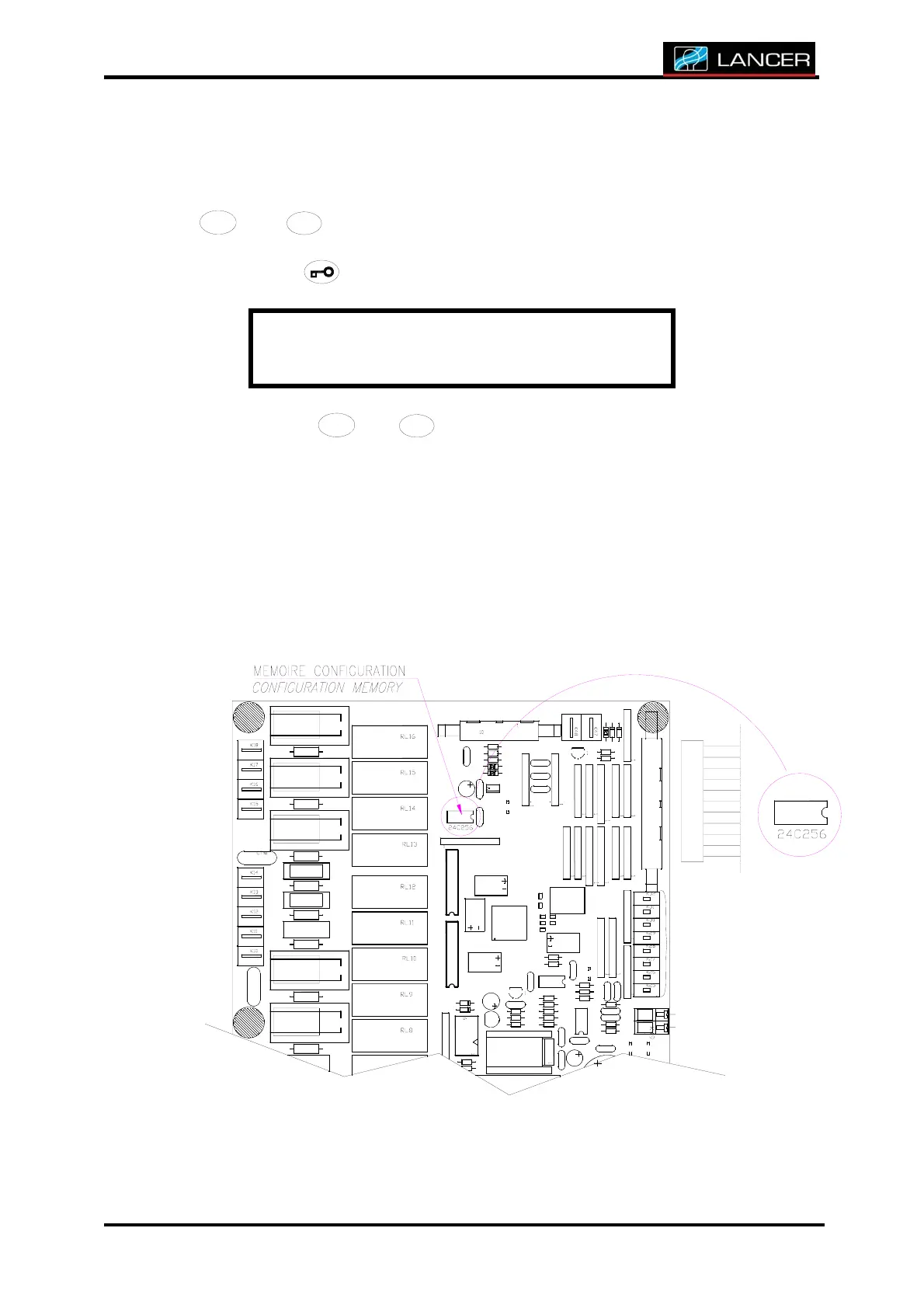
All these parameters are stored inside memory 24c256.



 To Next Page