CHAPTER 2 ACCES TO TECHNICIAN MENU
NT_820_910_1300_LX_ANG_V1 04_2007.doc
13
3.CALIBRATION OF TEMPERATURE PROBES
After accessing to technician menu, you must select CALIBR. PROBE with
/
/
/
/
/
//
//
/
//
///
/
4
4
4
44
4
4
44
4
4
44
4
4
4
+
+++
++
+
++
++
+
+
+
+
+
and
/
/
/
//
/
/
//
/
/
//
/
/
/
3
3
3
33
3
3
33
3
3
33
3
3
3
-
--
-
-
-
--
--
--
-
-
-
-
buttons to calibrate the probes.
Accept with button.
T E C H N I C I A N M E N U
C a l i b r . p r o b e
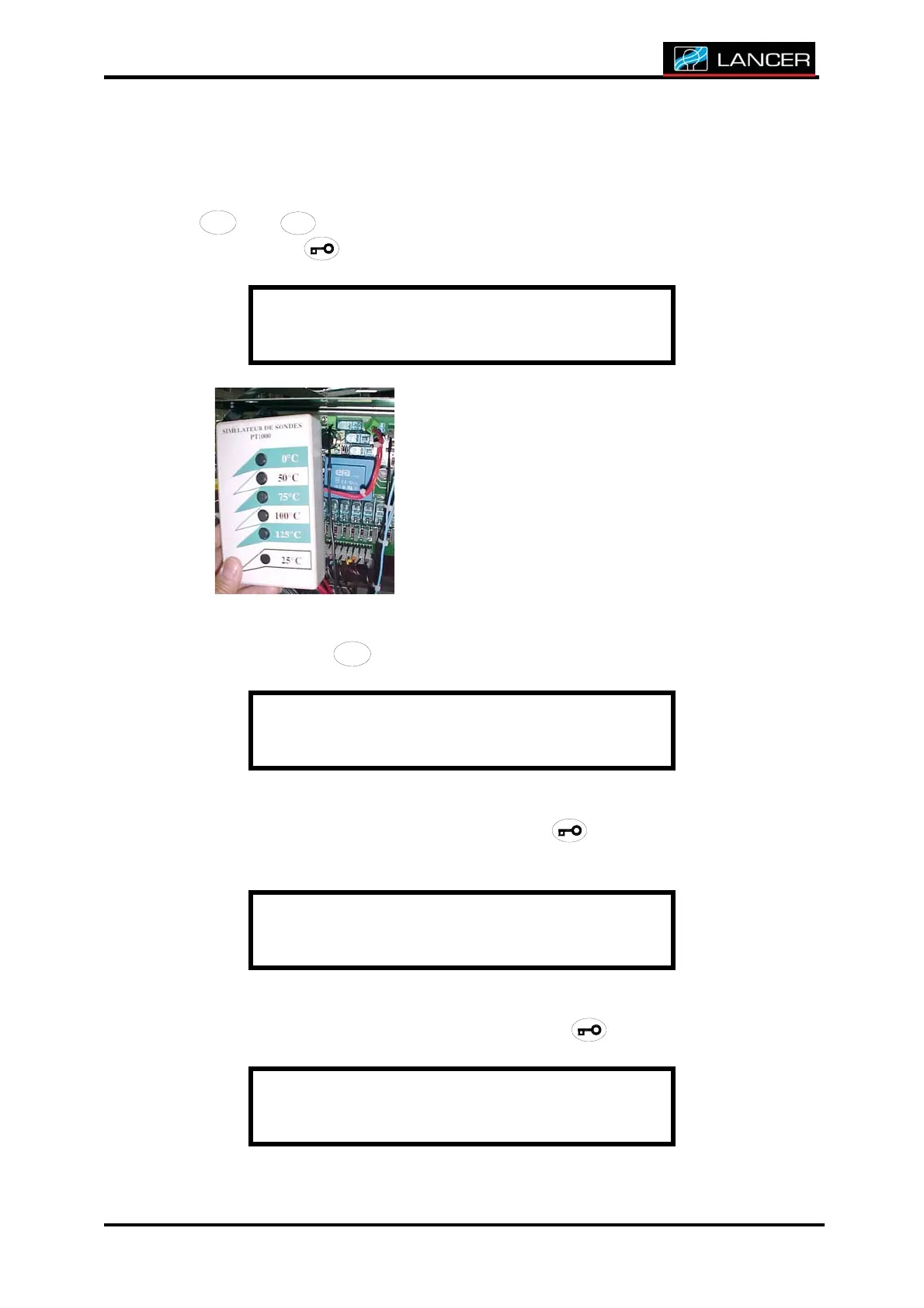
Connect probe simulator box on plug K49 of
the electronic board.
Calibrate electronic board probe outlet
(slope of the probe) using probe simulator
box.
Display indicates temperature of the probe.
Press on button
6
6666
66
6666
6
6666
to calibrate the probe.
Wa t e r p r o b : 3 4 . 9 °
Press on button 0°C of the simulator.
Keep pressed button 0°C and accept with button.
C a l i b r a t e s l o p e
S i m P T 1000 -> 00°
Press on button 100°C of the simulator.
Keep pressed button 100°C and accept with button.
C a l i b r a t e s l o p e
S i m P T 1 0 0 0 - > 1 0 0 °



 To Next Page