CHAPTER3 ACCES TO SUPERVISOR MENU
NT_820_910_1300_LX_ANG_V1 04_2007.doc
37
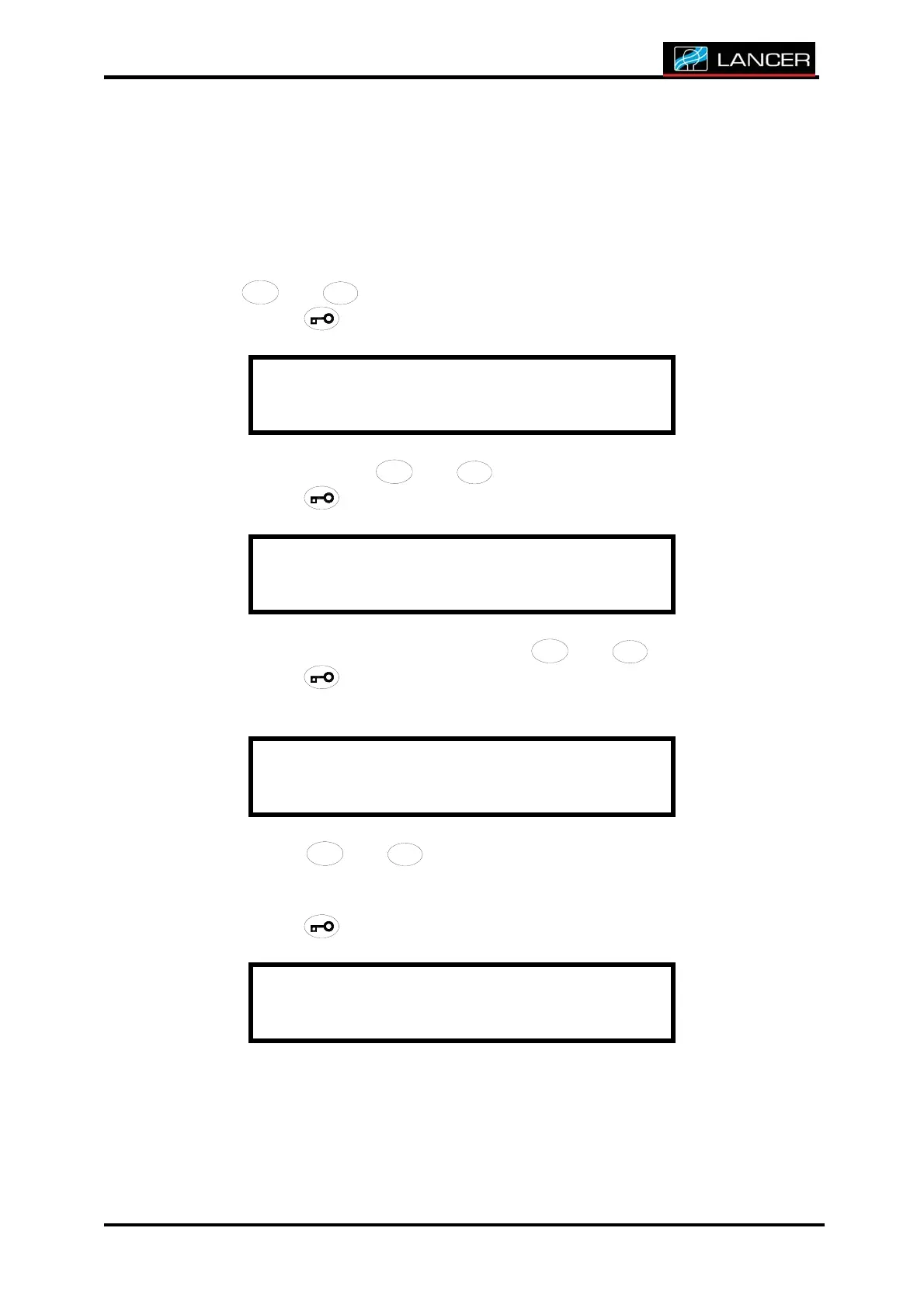
7.UPDATE MAINTENANCE HOURS
This function is to modify the counter of hours before carrying out
maintenance.
After accessing to supervisor menu, you must choose Update MAINT. hrs
with
/
/
/
/
/
//
//
/
//
///
/
4
4
4
44
4
4
44
4
4
44
4
4
4
+
+++
++
+
++
++
+
+
+
+
+
and
/
/
/
//
/
/
//
/
/
//
/
/
/
3
3
3
33
3
3
33
3
3
33
3
3
3
-
--
-
-
-
--
--
--
-
-
-
-
buttons to modify the hours.
Accept with
button.
S U P E R V I S O R M E N U
U p d a t e M a i n t . h r s
Choose YES/NO with
/
/
/
/
/
//
//
/
//
///
/
4
4
4
44
4
4
44
4
4
44
4
4
4
+
+++
++
+
++
++
+
+
+
+
+
and
/
/
/
//
/
/
//
/
/
//
/
/
/
3
3
3
33
3
3
33
3
3
33
3
3
3
-
--
-
-
-
--
--
--
-
-
-
-
buttons.
Accept with button.
U p d a t e M a i n t . h r s
C o n f i r m a t i o n : y e s
Choose frequency of maintenance with
/
/
/
/
/
//
//
/
//
///
/
4
4
4
44
4
4
44
4
4
44
4
4
4
+
+++
++
+
++
++
+
+
+
+
+
and
/
/
/
//
/
/
//
/
/
//
/
/
/
3
3
3
33
3
3
33
3
3
33
3
3
3
-
--
-
-
-
--
--
--
-
-
-
-
buttons.
Accept with button.
The calculation of this frequency is displayed at each starting-up.
M a i n t enance
e v e r y : x x x h
Choose with
/
/
/
/
/
//
//
/
//
///
/
4
4
4
44
4
4
44
4
4
44
4
4
4
+
+++
++
+
++
++
+
+
+
+
+
and
/
/
/
//
/
/
//
/
/
//
/
/
/
3
3
3
33
3
3
33
3
3
33
3
3
3
-
--
-
-
-
--
--
--
-
-
-
-
buttons, the interval of time remaining
before next maintenance so that this time is announced to each
launching of cycle
Accept with button.
M a i n t enance
i n t e r v a l . : x x x h



 To Next Page