CHAPTER3 ACCES TO SUPERVISOR MENU
NT_820_910_1300_LX_ANG_V1 04_2007.doc
36
6.UPDATE HOURS
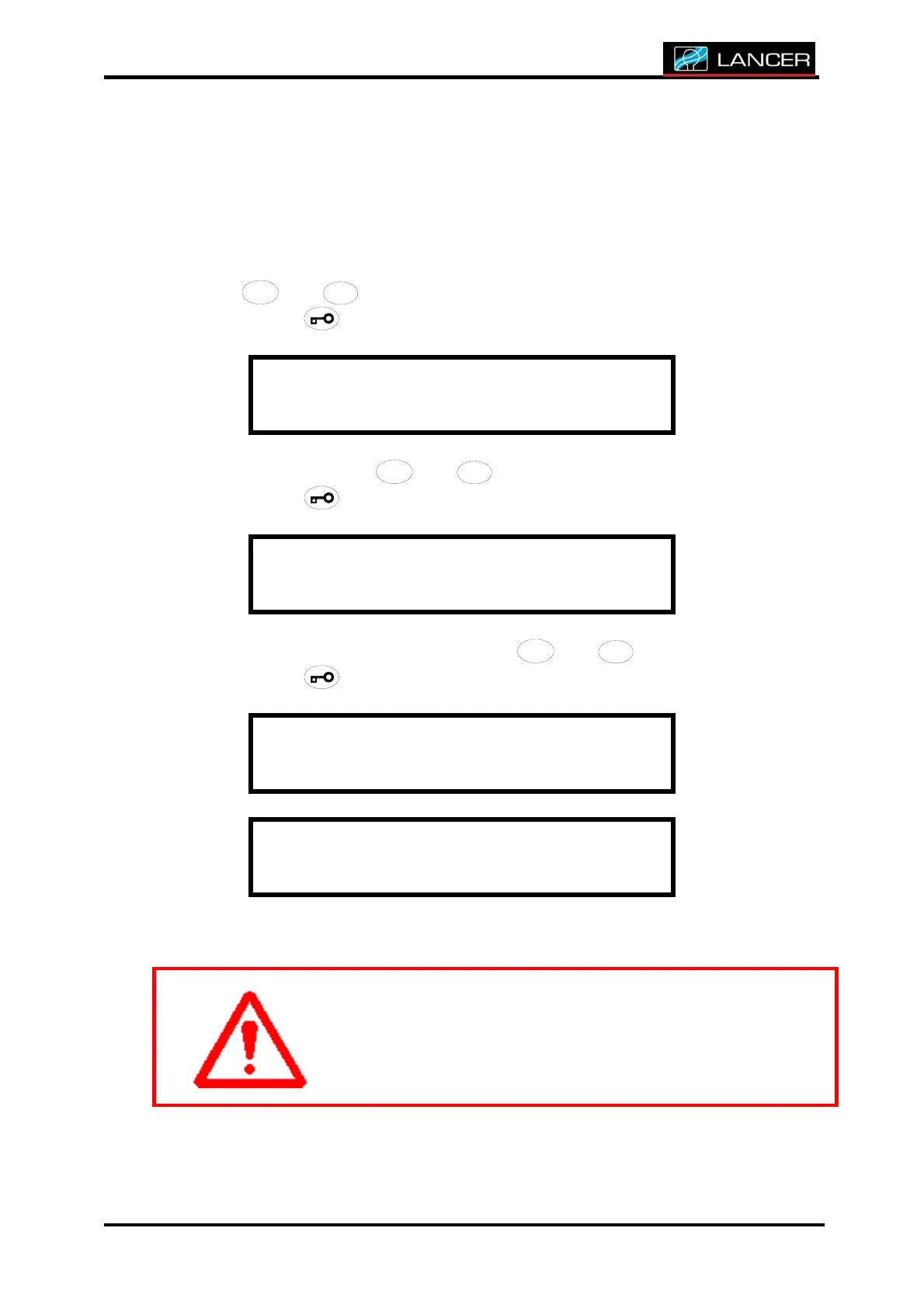
This function is to modify the counter of the machine usage time.
After accessing to supervisor menu, you must choose UPDATE HOURS
with
/
/
/
/
/
//
//
/
//
///
/
4
4
4
44
4
4
44
4
4
44
4
4
4
+
+++
++
+
++
++
+
+
+
+
+
and
/
/
/
//
/
/
//
/
/
//
/
/
/
3
3
3
33
3
3
33
3
3
33
3
3
3
-
--
-
-
-
--
--
--
-
-
-
-
buttons to modify the hour.
Accept with
button.
S U P E R V I S O R M E N U
U p d a t e s h o u r s
Choose YES/NO with
/
/
/
/
/
//
//
/
//
///
/
4
4
4
44
4
4
44
4
4
44
4
4
4
+
+++
++
+
++
++
+
+
+
+
+
and
/
/
/
//
/
/
//
/
/
//
/
/
/
3
3
3
33
3
3
33
3
3
33
3
3
3
-
--
-
-
-
--
--
--
-
-
-
-
buttons.
Accept with button.
U p d a t e s h o u r s
C o n f i r m a t i o n : Y e s
If YES, choose the hours number with
/
/
/
/
/
//
//
/
//
///
/
4
4
4
44
4
4
44
4
4
44
4
4
4
+
+++
++
+
++
++
+
+
+
+
+
and
/
/
/
//
/
/
//
/
/
//
/
/
/
3
3
3
33
3
3
33
3
3
33
3
3
3
-
--
-
-
-
--
--
--
-
-
-
-
buttons.
Accept with button.
U p d a t e s h o u r s
5
E n d o f m e n u
The display returns to its initial state.
The meter value must be noted before an update.



 To Next Page