Make sure you have read and understand this owner’s manual. Now you are ready to begin.
Start by straddling the treadbelt with one foot on each traction strip. Once the treadbelt begins moving you can start walking
on the treadbelt.
Press the button.
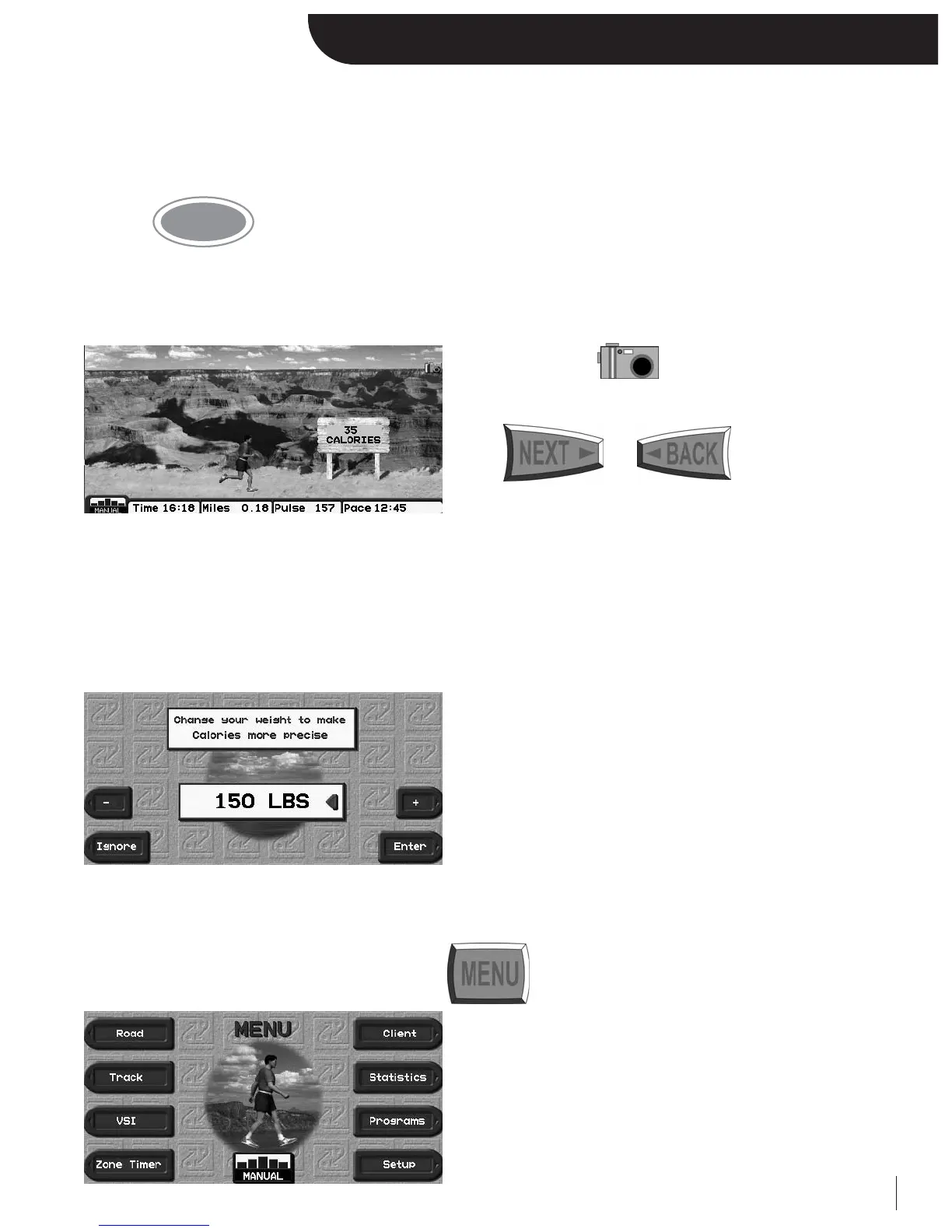
After three seconds the treadbelt will start moving at 0.5 mph and the center display one of your 5 motivational screens, the
Road Screen.
Press the designated to view any of the five
selectable road screens.
Press or to view any
of the other motivational screens.
You are now in Manual Mode, where you control the speed and elevation at your discretion.
After 12 seconds, a weight prompt will appear. Adjust the weight value using the designated
“+/-” keys, or numeric keypad
***Note: Weight prompt can be deactivated in Setup. Also, it’s
bypassed if you log on as a Client.***
You can access all of your treadmill’s options by pressing at any time.
6
Getting Started


 To Next Page