8
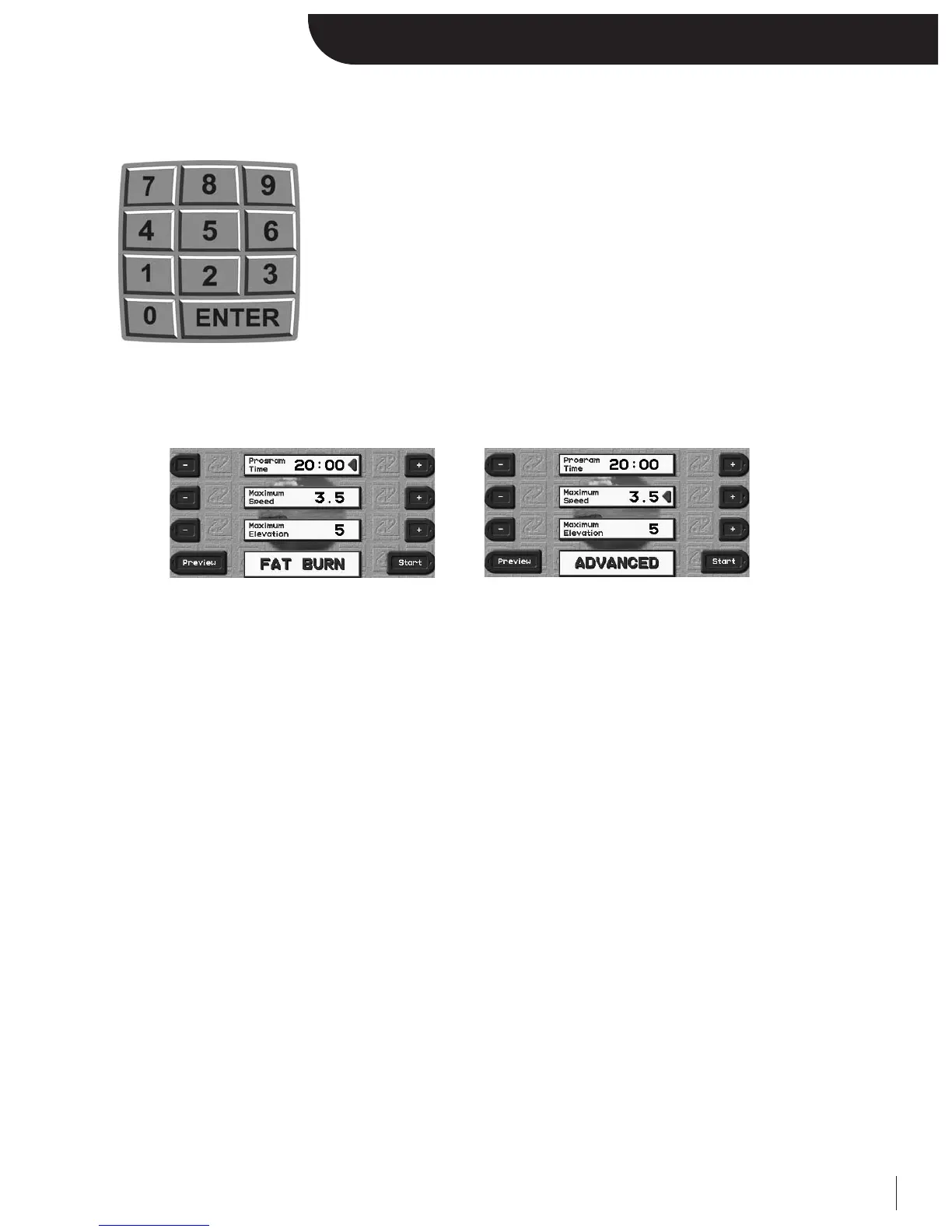
Using the Numeric Keypad
The Executive Trainer is equipped with a numeric keypad, which serves multiple functions to make the treadmill easier to
control. It can be used to change speed and elevation, enter user settings, and configure programs.
Whenever you are prompted with a numeric entry, you have the option of using the designated “+/-” keys or the numeric
keypad. If there are multiple numeric prompts displayed at once, look for the red triangle. The numeric keypad will only
modify the line that has the red triangle. To activate another line, simply press ENTER or use the designated “+/-” keys to
activate another prompt.
When to use the numeric keypad:
QUICK SPEED / QUICK GRADE
The QUICK SPEED and QUICK GRADE buttons below the keypad allow you to go directly to a target speed or elevation
without having to hold down the Speed/Grade “+/-” keys. Simply press QUICK SPEED or QUICK GRADE, then enter the
desired value using the keypad.
PROGRAM CONFIGURATION
In program setup you will be asked different information based on that particular program’s parameters. This information
can be dialed in using the “+/-” keys, or the numeric keypad.
• In the 5 Built-in programs, the keypad can be used to enter the program’s maximum time, speed, and elevation.
• In the Specific Goal Programs, the keypad can be used to enter a variety of different information. Time Goal:
Time, Distance Goal: Distance, Calorie Goal: Calories.
• In the 5 User programs, the keypad can be used to set the speed, elevation and time for each individual segment.
This will be explained in more detail under the USER PROGRAM section of this manual.
• In the Heart Rate Control (HRC) programs, the keypad can be used to enter the program’s maximum speed,
target heart rate, and program time.
• In the User Heart Rate Control programs, the keypad can be used to enter the program’s maximum speed,
program time, and the target heart rate for each individual segment. This will be explained in more detail
under the HEART RATE sections of this manual.
• In the fitness tests/protocols, the keypad can be used to enter your age.


 To Next Page