21
Client Mode - Fitness Calendar
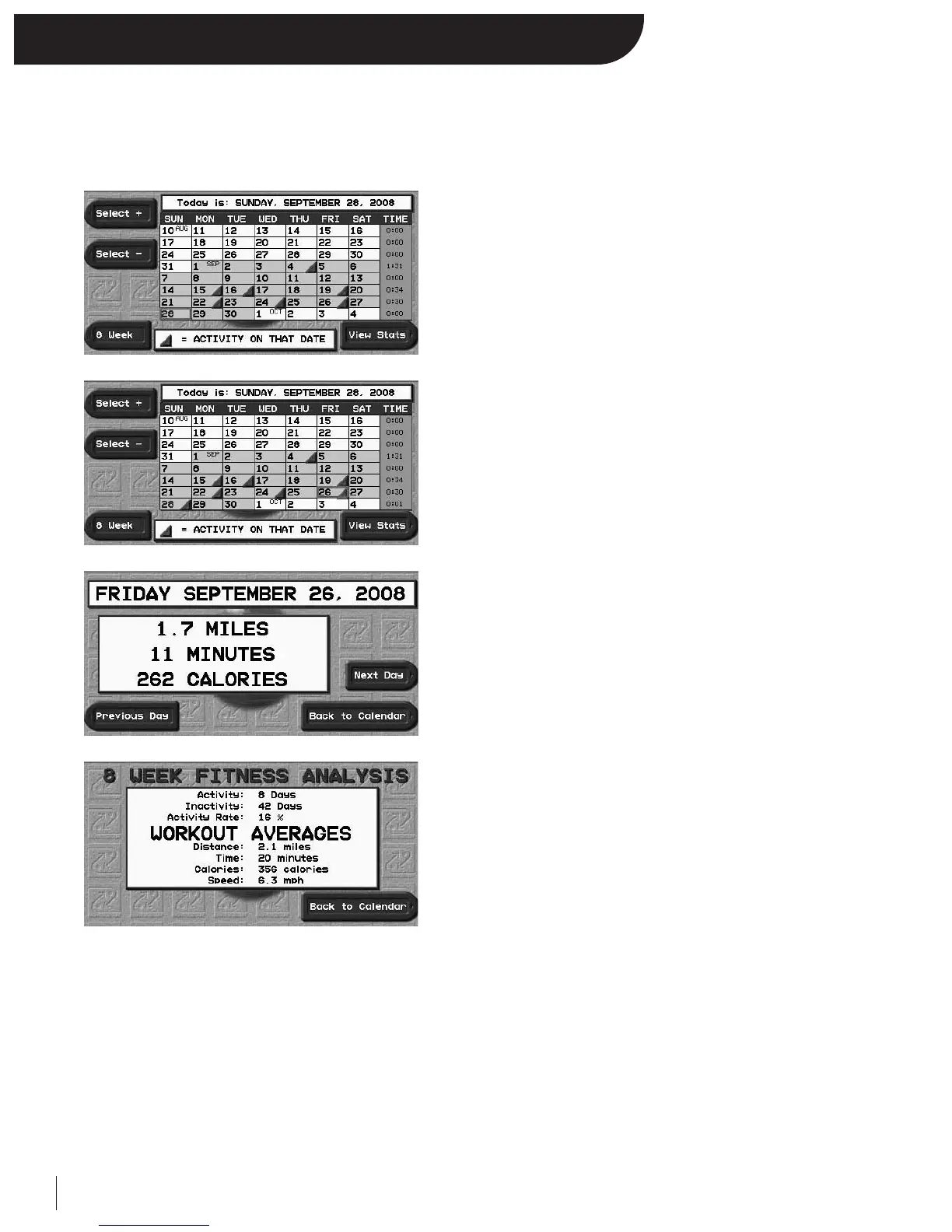
Client Mode offers a fitness calendar that monitors all client treadmill usage over the past eight weeks.
To view the Fitness Calendar:
After logging on as a client, from the Menu Screen press the
designated “Calendar” key. You are now in your personal Fitness
Calendar Screen.
• The red triangle means that you worked out on your Executive
Trainer on that particular day.
• Today’s date is listed at the top of the screen and highlighted in the
calendar in bigger/bold font.
Note: If the current day at the top of the screen is incorrect, see
System Setup to adjust to the correct date.
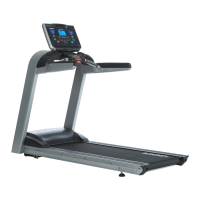
Use the designated “Select +” and “Select –” to move the red square
from day to day.
Move the red square over any date that you want to view
in detail.
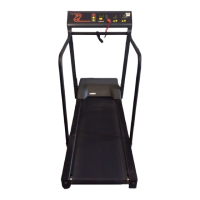
Press the designated “View Stats” key.
You can now see your workout in detail for that particular day.
You can move from day to day in this detailed view by pressing the
designated “Previous Day” and “Next Day” keys.
Press Back to Calendar to return to the fitness calendar.
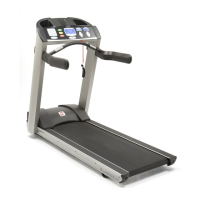
To see your 8 Week Fitness Analysis, press the designated
“8 Week” key.
The 8 Week Fitness Analysis summarizes all of your treadmill activity
over the last 8 weeks.
Press Back to Calendar to return to your fitness calendar.


 To Next Page