11
•
DVD
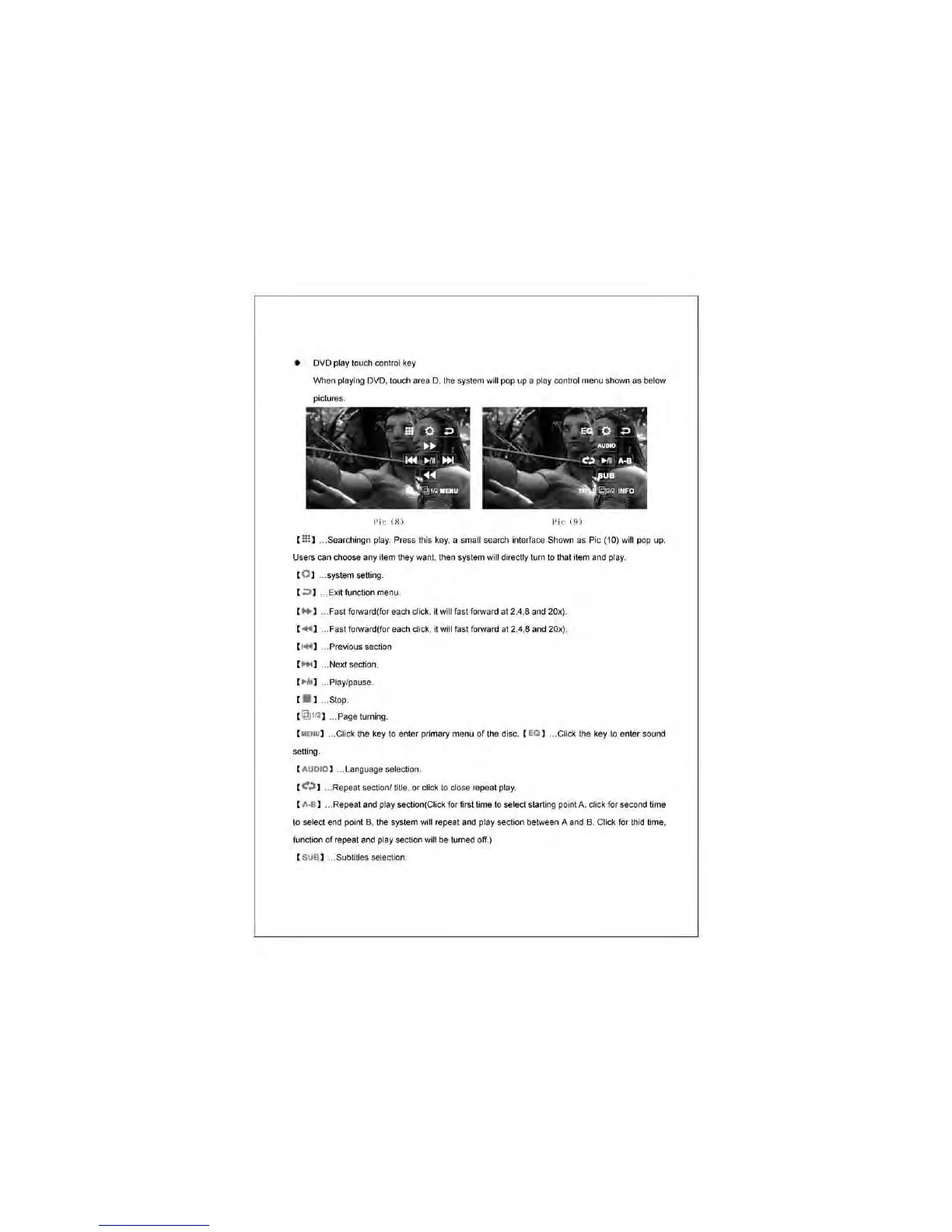
play louch conlrol key
When
playi"{l
DVD. touch area D. the system will pop
up
a play cootrol
menu
shown
as
below
pictures.
I'i c (
8)
I'
ic
(9)
[ ::: ) ... Searchingn play. Press this key. a small
se
arch interface Shown
as
Pic (10) will pop up.
Users can choose any item they want, then system will directly turn to that item
and
play.
[O l ...
systemsetting
.
[
,;:)
I ... Exitfunctionmenu.
[ lito 1 .. . Fast forward(for each
clicl<
. it will fast forward
at
2.4,8 and 20x).
[
..
] ... Fast forward(for each click, it
wiliiasl
forward al 2,4,8 and 20x).
[
....
] ... Previous section
[
Mol
] ... Next section.
, ..
111
1
...
Play/pause.
[ . ] ... Stop.
[
@1f
,
o!]
... Page tuming.
[
M€N
U) . . Click the key to
enter
primary
menu
of
the disc. (
ea
I
...
Click the key to enter sound
setting.
[ AUDIO I ... Language selection.
( t:;J ) ...
Repeal
section!
tiHe
.
or
click
10
close repeal play.
[ A
-8
1
...
Repeat and play section(Click for first time to
selec1
starting point A, click
fo
r second time
10
select end point B. the system will repeat and play
Sec1ion
between A and B. Click
lor
thid time.
function
of
repeat and play section will be turned off.)
( SUB) ... Sublitles selection.



 To Next Page