Altitude Offset
Alti-Meter/Speed-Meter • Feet/Meter when set to Alti-Meter • Mph/Kmh when set to Speed-Meter • Altitude
offset • Dive Type • True Airspeed (TAS)/ Skydiver’s Airspeed (SAS) • Set current year • Set current date • Set
current time • Preset jump counter • Reset jump counter • Turn the VISO OFF • Padlock window
Explanation
If the DZ landing elevation differs from that of the aircraft take off elevation, offset
the VISO prior to entering the aircraft as follows:
VISO Settings
Altitude Offset
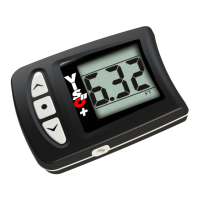
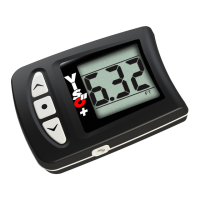
Press and hold or to offset the current altitude.
Press to save setting and enter the Dive Type selector.
Note: When performing altitude offset, the VISO enters Jump Mode and the altitude
offset will be retained for 5 hours, if no jump is made. After 5 hours the VISO recali-
brates to the field elevation where it is currently located.
The altitude offset is not retained when the VISO is powered OFF.
Mph/Kmh Selector
Alti-Meter/Speed-Meter • Feet/Meter when set to Alti-Meter • Mph/Kmh when set to Speed-Meter • Altitude
offset • Dive Type • True Airspeed (TAS)/ Skydiver’s Airspeed (SAS) • Set current year • Set current date • Set
current time • Preset jump counter • Reset jump counter • Turn the VISO OFF • Padlock window
Mph/Kmh
VISO Settings
Press or to toggle between Mph/Kmh.
The active selection flashes.
Press to save setting and enter Altitude Offset.
Note: Jump data is continuously stored in both Mph and Kmh.
At any time stored information may be displayed in either unit
of measurement by selecting the respective mode.


 To Next Page
 Loading...