Laser 5089 Code Reader User’s Guide_ Laser 5089 Code Reader User’s Guide_
√ If codes and test data not to be deleted, select NO, and a “Command
Cancelled!” message displays prompting to press any key to return to
Diagnostic Menu.
4. Wait a few seconds until a “Codes Cleared!” message shows indicating
codes are cleared successfully.
√ If the code reader fails to clear the codes, a “Clear Error! Turn Key on
with Engine off!” message displays.
5. Wait a few seconds or press any key to return to Diagnostic Menu.
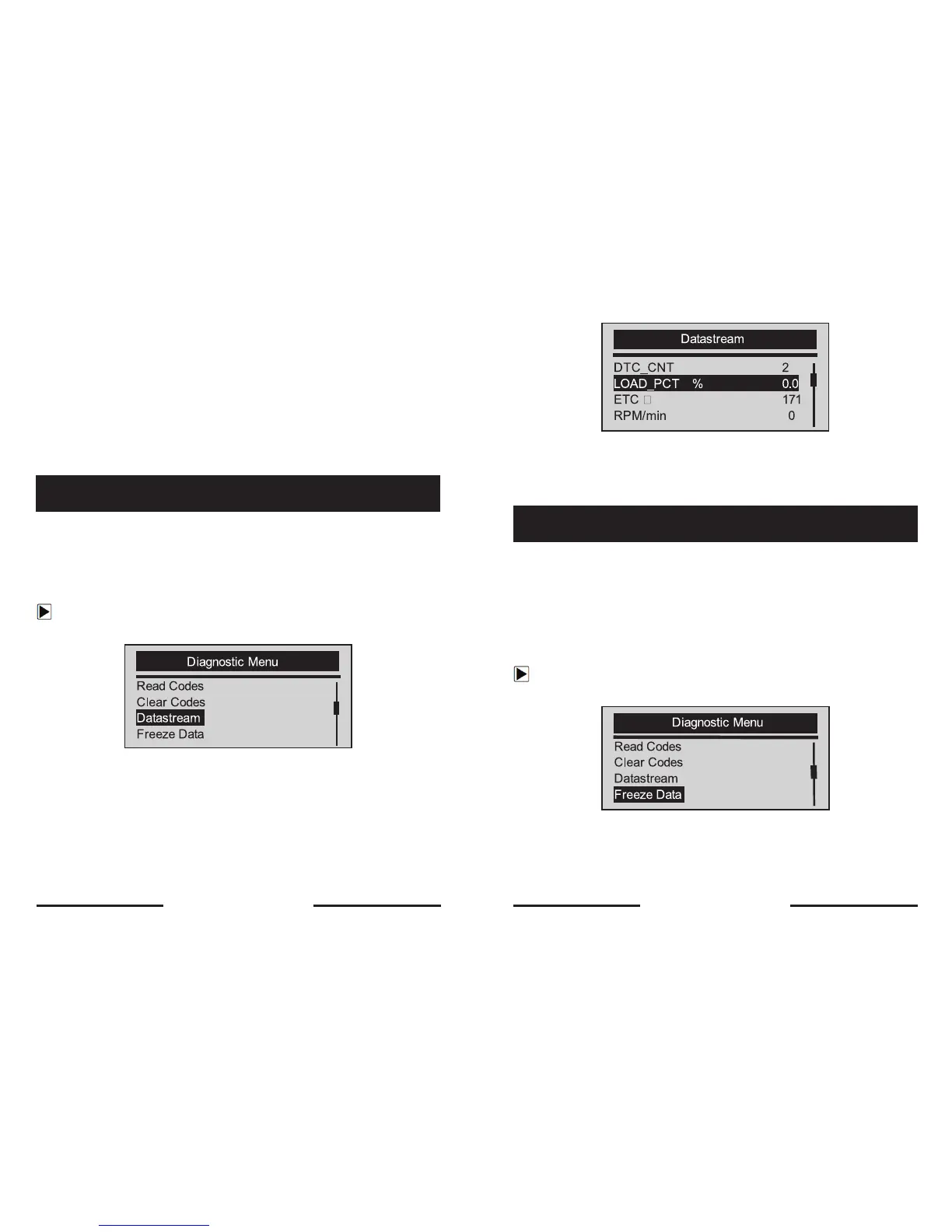
The Datastream function allows real time viewing of the vehicle’s electronic
control unit’s PID data, including sensor data, operation of switches, solenoids
and relays.
To view live datastream:
1. Use the SCROLL key to select Datastrean from Diagnostic Menu
screen.
2. Press the YES/NO key to confirm.
3. View PIDs on code reader. Use the SCROLL key when more than one
screen of information is retrieved.
5.3 Viewing Datastream
√ Some vehicle may not support this function, and a “Not Support This
Function!” message display.
4. Press the YES/NO key to return.
The Freeze Data function is used to view freeze frame data, a snapshot of
vehicle operating conditions recorded by the on-board computer at the time of
an emission-related fault.
√ If codes were cleared, freeze data may not be stored in vehicle memory
depending on vehicle.
To view freeze frame data:
1. Use the SCROLL key to select Freeze Data from Diagnostic Menu
screen.
2. Press the YES/NO key to confirm.
5.4 Viewing Freeze Data
22 23


 To Next Page