Laser 5089 Code Reader User’s Guide_ Laser 5089 Code Reader User’s Guide_
Diagnostic Menu allows you to:
• Read DTCs.
• Clear DTCs.
• View live datastream.
• View freeze data.
• Retrieve vehicle information.
√ The code reader detects the communication protocol when it is
connected to the vehicle and uses the protocol throughout the testing till
another vehicle is diagnosed.
√ If the code reader fails to communicate with the vehicle a
“Communication Error!” message displays. Make sure the OBDII
connector is securely attached, and the ignition key is on. Turn vehicle
key to off for 10 seconds, then on. If problem still exists, refer to
“Error Messages” on page 33 of Troubleshooting.
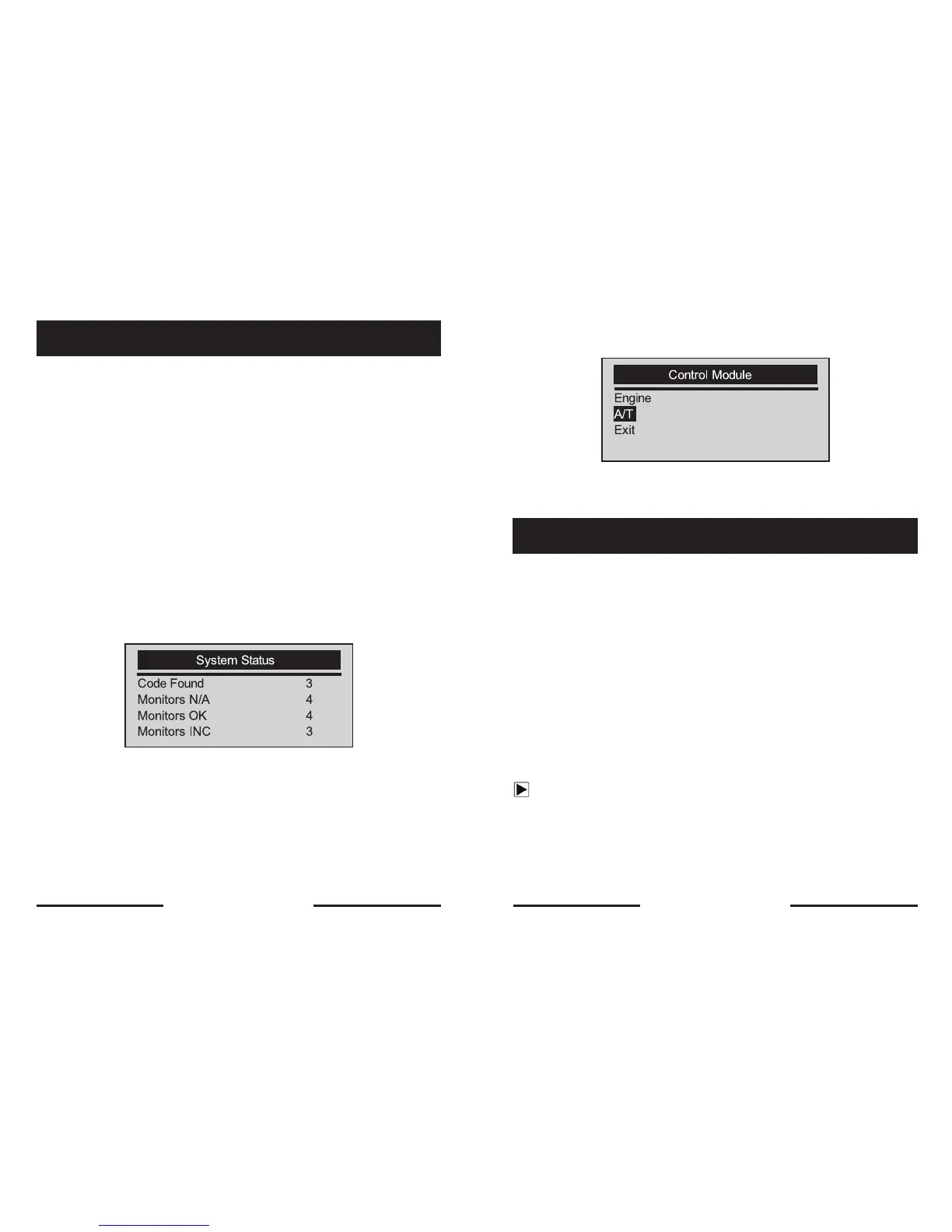
√ When the code reader links to vehicle, it checks the status of I/M
Monitors, and gives a summary report on the display as illustrated below.
√ If vehicle is equipped with more than one computer module (for example
a powertrain control module [PCM] and a transmission control module
[TCM]), the code reader identifies them by their identification names (ID)
assigned by manufacturer (i.e. Engine or A/T).
√ Use the SCROLL key to select a control module where the data may be
retrieved when more than one module is detected.
5. OBDII/EOBD Diagnosis
√ Use the SCROLL key to select a control module where the data may be
retrieved when more than one module is detected.
√ To view information of other control unit quit current test and select
another module.
The Read Codes function is used to read DTCs (stored codes), which are used
to help identify the cause of a trouble or troubles with a vehicle, and pending
codes from the vehicle’s control modules.
√ When emission-related or drivability fault occurs the control module
illuminates the malfunction indicator lamp (MIL).
√ Pending Codes are also referred to as continuous monitor or maturing c
odes that indicate intermittent faults. If the fault does not occur within a
certain number of drive cycles (depending on vehicle), the code clears
from memory. If fault occurs a specific number of times, the code
matures into a DTC and the MIL illuminates or blinks.
√ This function can be performed with KOEO or KOER.
To read codes from vehicle control modules:
1. Press the YES/NO key to start diagnosis from home screen.
2. Use the SCROLL key to select Read Codes from
Diagnostic Menu screen.
5.1 Reading DTCs
18 19


 To Next Page