Laser 5089 Code Reader User’s Guide_ Laser 5089 Code Reader User’s Guide_
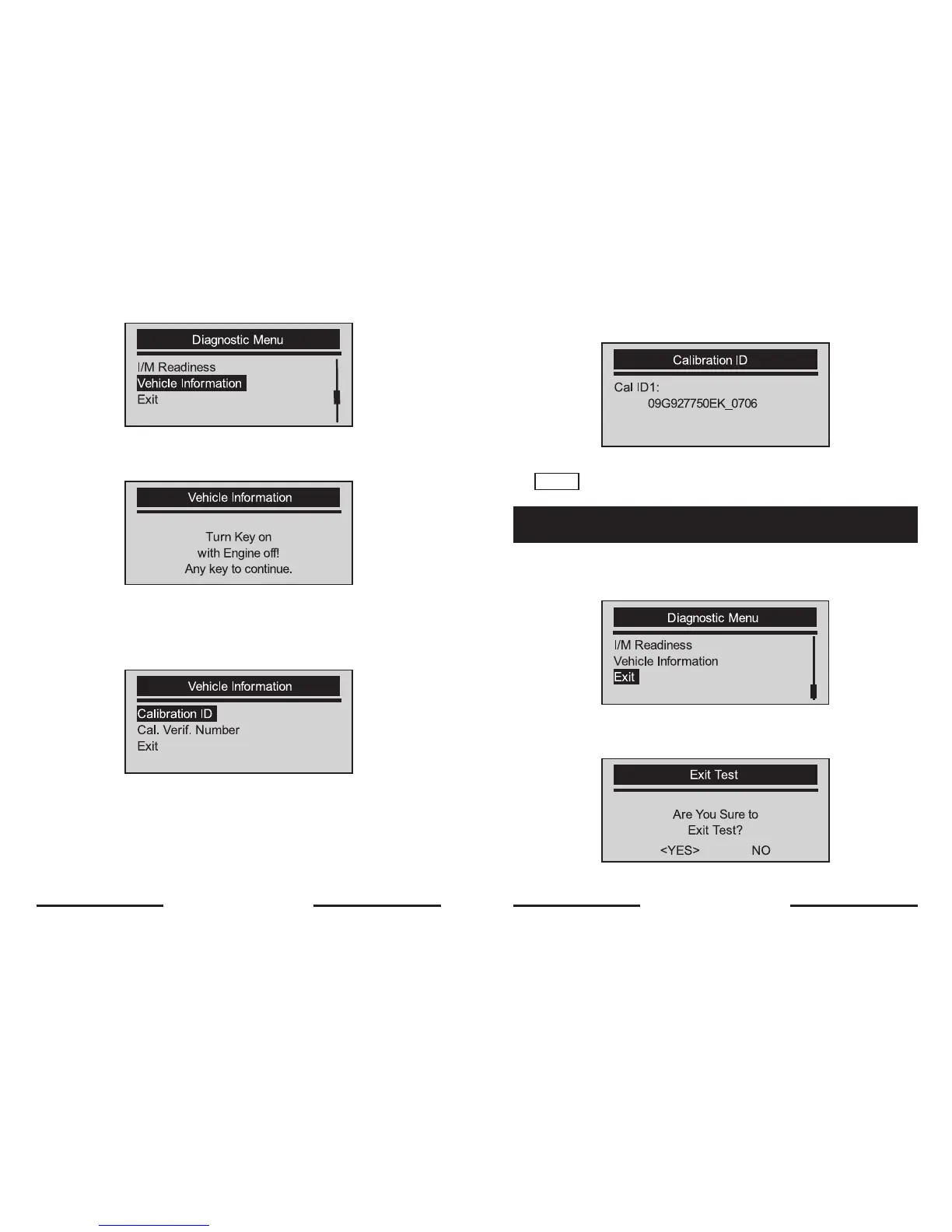
2. Press the YES/NO key to confirm.
3. Wait a few seconds or press YES/NO key to continue.
√ Some vehicle may not support this function, and a
“Not Support This Function!” message display.
4. Use the SCROLL key to select an available item from Vehicle
Information screen.
5. Press the YES/NO key to view retrieved information
6. Press the YES/NO key return.
NOTE
Not all data is supported by all vehicles.
To exit OBDII test:
1. Use the SCROLL key to select Exit from Diagnostic Menu screen.
2. Press the YES/NO key to confirm.
3. To quit test, use the SCROLL key to select YES and press YES/NO key.
√ If not to exit, use the SCROLL key the select NO and press the
YES/NO key.
5.7 Exiting Test
28 29


 To Next Page