EasyManua.ls Logo

LaserPro Venus - Page 32

Default Icon
59 pages
Print Icon
To Next Page IconTo Next Page
To Previous Page IconTo Previous Page
Loading...
32
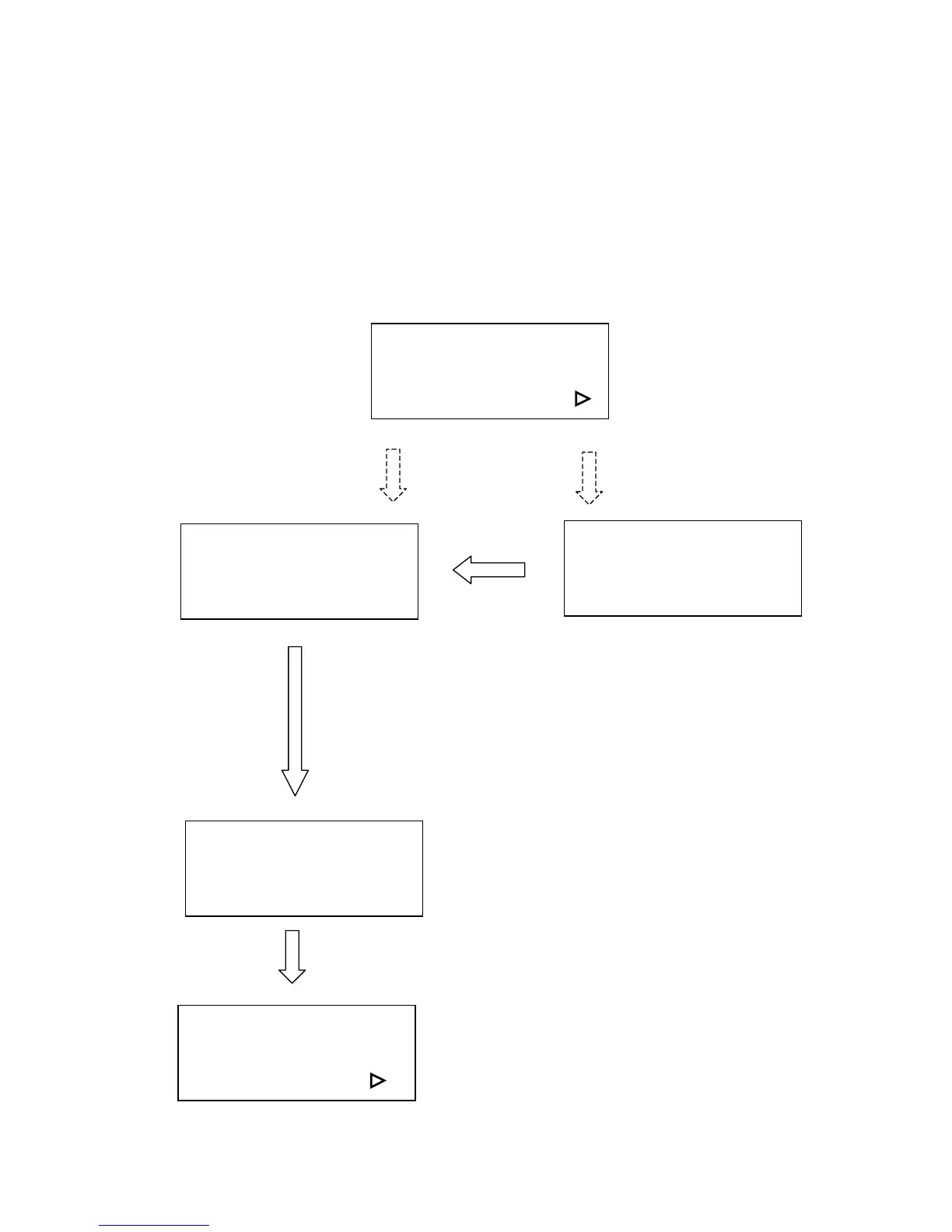
! Tune (Auto focusing)?
In case the focal length of Auto Focus needs to be corrected, please insert the
corresponding manual focal tool to the hole of the holder shown as in the Figure of
LENS and MANUAL FOCUS GAUGE. Then, operate as follows.
Press arrow up/down key
to tune focusing position
then press ENTER
ENTER
Tune (Auto focusing)?
Ok: ENTER
End operation: Esc
Select set up #1-16? :
Press AUTO FOCUS key
then FUNCTION key
Select the function
Tune (Auto focusing)
If you have not pressed
AUTO FOCUS after
power ON
If you have ever
pressed AUTO FOCUS
after power ON
A
ttach manual focus gauge to
the carriage and press arrow
key up and down to position
the working table in focus then
press ENTER.
New focal length has been
saved.
Complete tuning
Ready to setup or
send a file to
start a job
Select set up #1-16?
Yes: ENTER
End operation: Esc
Select baud rate? :