Home
LAUNCH TECH
Test Equipment
X-431 GDS
Page 43 (Flow Chart for Entering Diagnostic Program)
LAUNCH TECH X-431 GDS - Flow Chart for Entering Diagnostic Program
75 pages
Manual
Save Page as PDF
To Next Page
To Next Page
To Previous Page
To Previous Page
Loading...
L
A
U
N
C
H
X
-
4
3
1
G
D
S
U
s
e
r
’
s
M
a
n
u
a
l
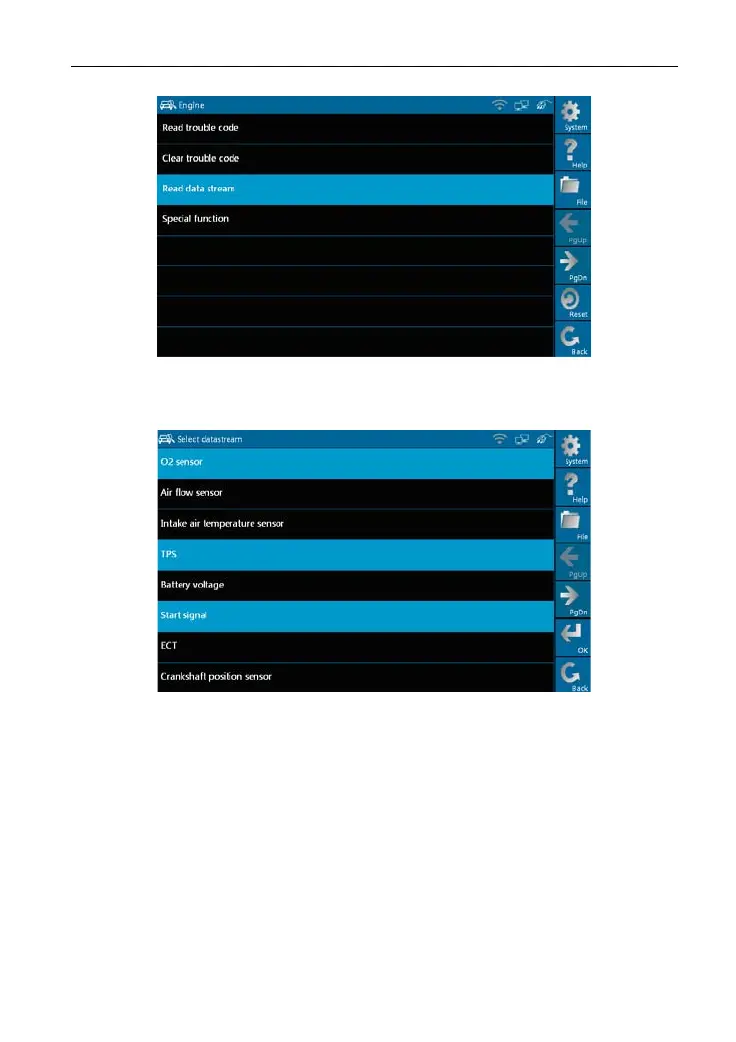
Figure 3-9
As Figure 3-10 shows,
the selected datastrea
m are displayed in blue.
Figure 3-10
Click
[OK]
in Figure 3-10,
dynamic data of the selected datastream will
appear
on screen, as shown in
Figure 3-1
1.
36
42
44
Table of Contents
Main Page
Default Chapter
6
Table of Contents
6
1 Foreword
8
Product Summary
8
Product Features
8
Product Functions
8
Technical Specifications
9
2 About X-431Gds
10
X-431 Gds Main Set
10
Composition
10
Structure
11
X-431 Gds Common Accessories
15
First Operation
16
Turn on
16
Icons and Function Items
16
System Settings
17
3 How to Diagnose
34
Preparation and Connections
34
Preparation
34
X-431 GDS Connections
34
Start Diagnosing
34
How to Start Diagnostic Program
34
How to Diagnose
39
Read Trouble Code
40
Clear Trouble Code
41
Read Data Stream
42
Special Function
45
Driving Record Management
47
Flow Chart for Entering Diagnostic Program
50
4 Heavy-Duty Diagnosis Platform
51
5 Browser
52
6 Information
54
News
54
Software Download Information
56
7 Mailbox
58
Read Mail
58
New Mail
59
8 Update
61
Register
61
Update
63
9 Optional Functions Brief for X-431 Gds
67
Oscilloscope
67
Ignition
68
Sensor
68
Multimeter
69
Batterytest
69
10 Fqa
70



 To Next Page