8
LAUNCH
3. Initial Use
3.1 Install memory card
1. Take out the memory card from package box.
2. Insert the memory card into the memory card slot on the bottom of the tool
perpendicularly. Make sure is fully inserted in the right place with the “micro”
label facing upward.
Note: You can hear a clicking sound if you insert the memory card in the right place.
Press the card slightly, it will be ejected automatically.
3.2 Update
By default, the tool is pre-installed with the diagnostic program and vehicle
diagnostic software before shipment. To make sure the tool is running the latest
available software, it is advisable to check for updates on a frequent basis. Refer
to Section “Register & Update” for details.
3.3 Settings
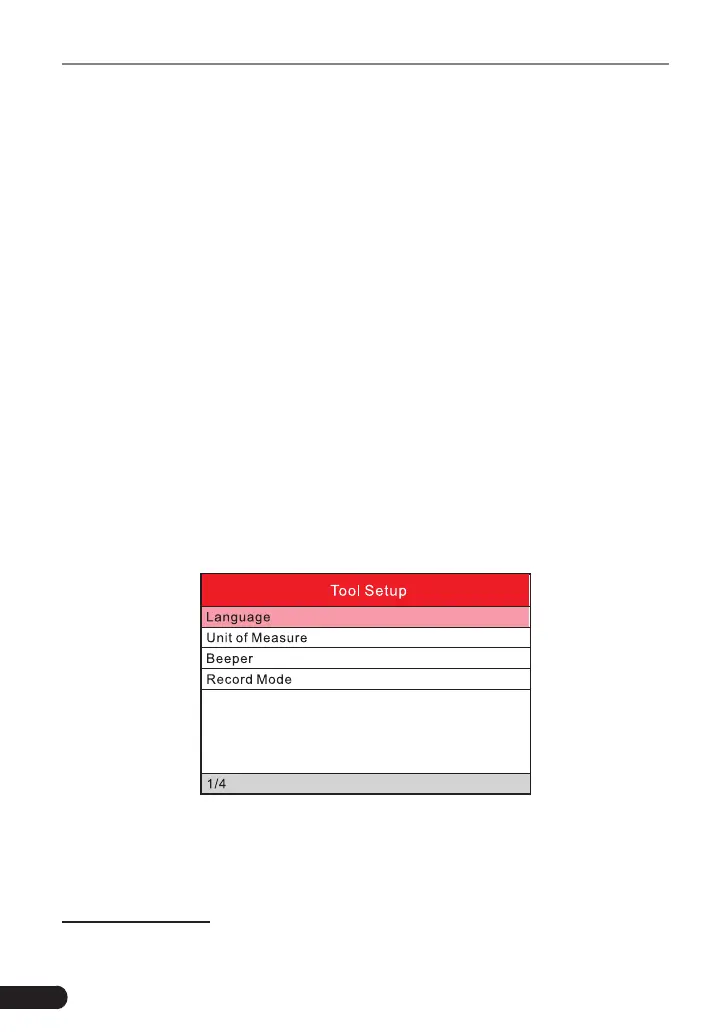
This option allows you to make some system settings of the tool.
Select [Settings] in the main menu and press [OK], the system will enter the
following screen:
1) Language
This option enables you to set the user interface language.
Note: Due to continuous software upgrade, language interface may dier from dierent
software versions.
2) Unit of Measure
This option allows you to set measurement unit.


 To Next Page