21
LAUNCH
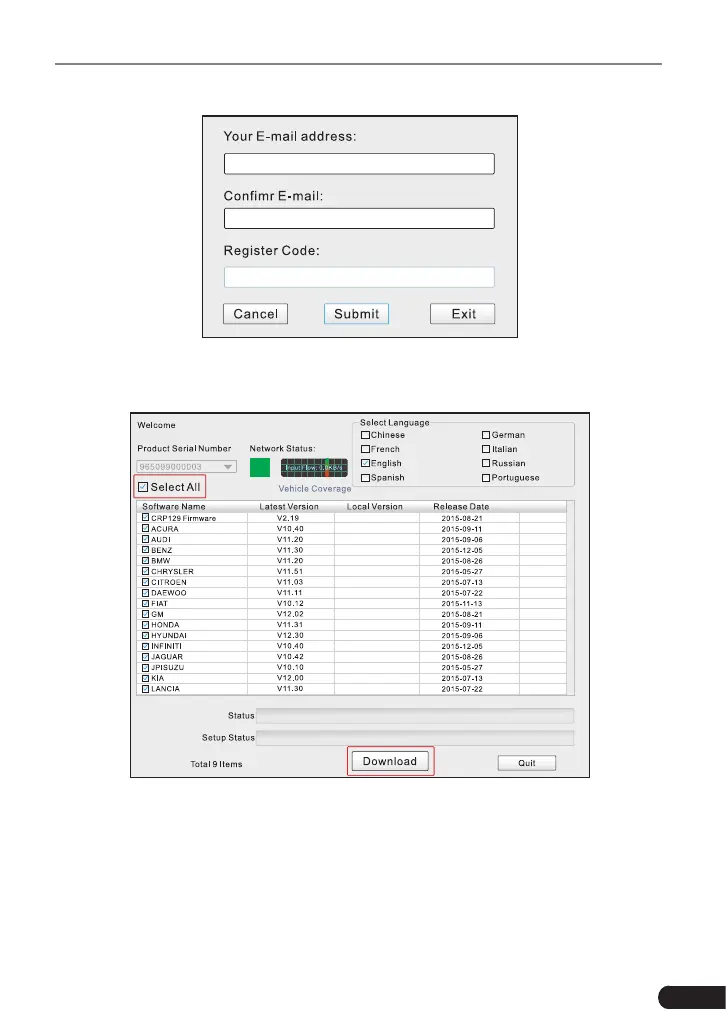
6. Select the updates you would like to perform or click “Select All”, and then
click [Download] to start downloading.
7. Once all steps are complete, restart your tool. It will prompt you to upgrade,
click [OK] to start updating. It may take several minutes to nish the update.
8. The update process is complete, your tool is now ready for use.


 To Next Page