User Guide
Model – iris X1 Atom 11
vol u m e .
You ca n access Call Logs, Contacts from the dialer
screen.
While during a ca l l , to uch the icon to end a
call .
4.2. Disable Phone Calls (Airplane mode)
Some lo cations li ke airplanes may re qu i re you to turn
off yo ur mobile, Wi‐Fi, and Bluetoot h wirel ess
connections.
Pressandho ldthePow erbutton.
TouchtheAirplanemo de.
4.3. Disable SIM card
Ifyou wa n t totoclo setheSIMca rd, to doit goto:
Settings
>SIMmanagement.
>turnof fSIM1/SI M2
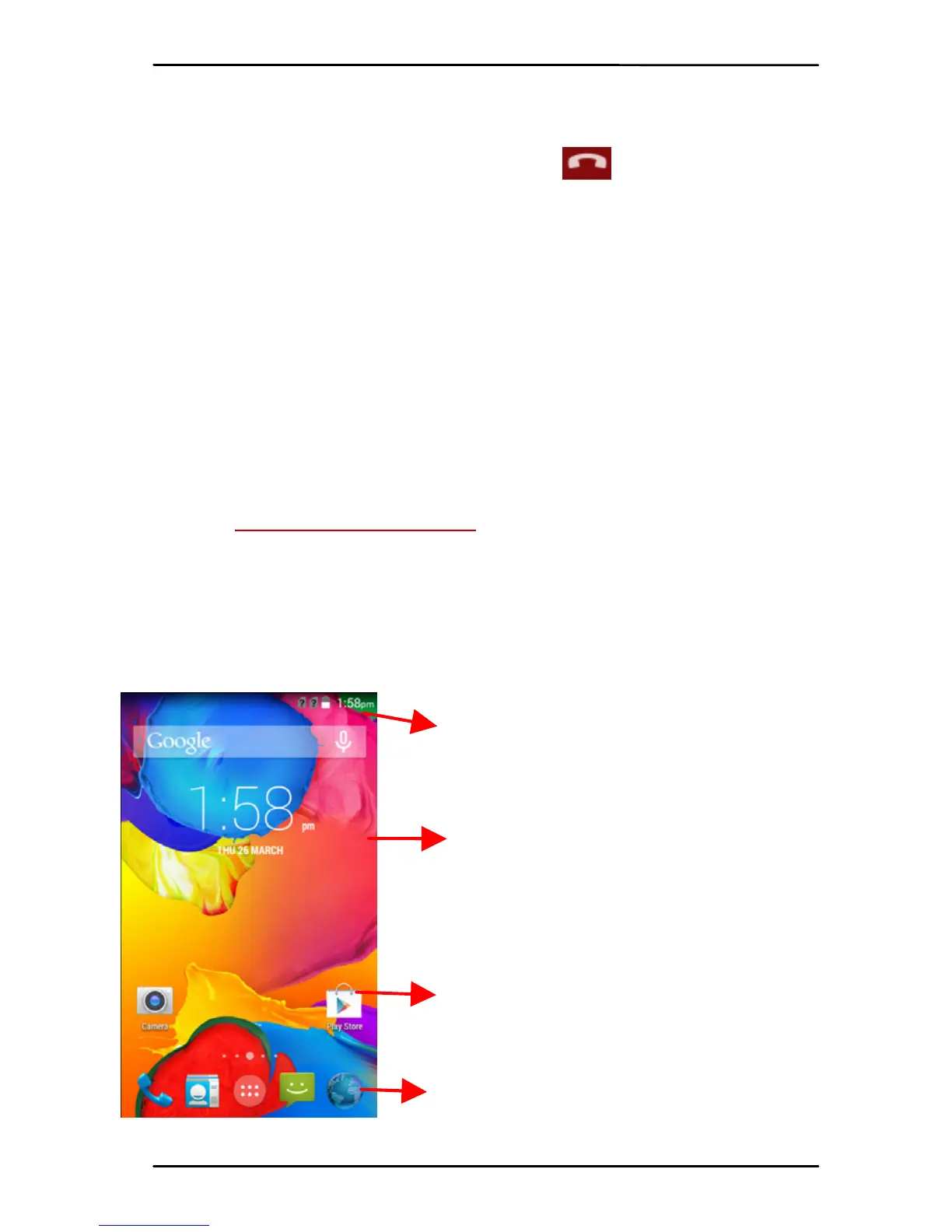
5- THE HOME SCREEN
Whenyo u signin,thehomes creenopens.
TheHome screenisyour star t in g pointto access allthe
featu r es on you r phon e. Touch the main menu icon at
the bottom of the screen to view al l installed
applications.
Touch an d hold an empty spo t to
changewall paper.
Thestat us barshowsthetime,
signal stre ngt h ,batte ry status,
andnotification.
Touchanicontolaunc hthe
correspond ing application; botto m
icons are accessi ble from al l
desktopscreens .
Touch and hol d to move or rem o ve
aniconorawidget.



 To Next Page