User Guide
Model – iris X1 Atom 6
3- GETTING STARTED
3.1. Insert SIM card
iris X1 Atom is a Dual SIM mobi le phone a llowing
yo u to use the fa ci lity of two networks. To insert SIM
card(s ):
Swi tch off the mobile phone and re mo ve the rea r
cove r andbatter y.
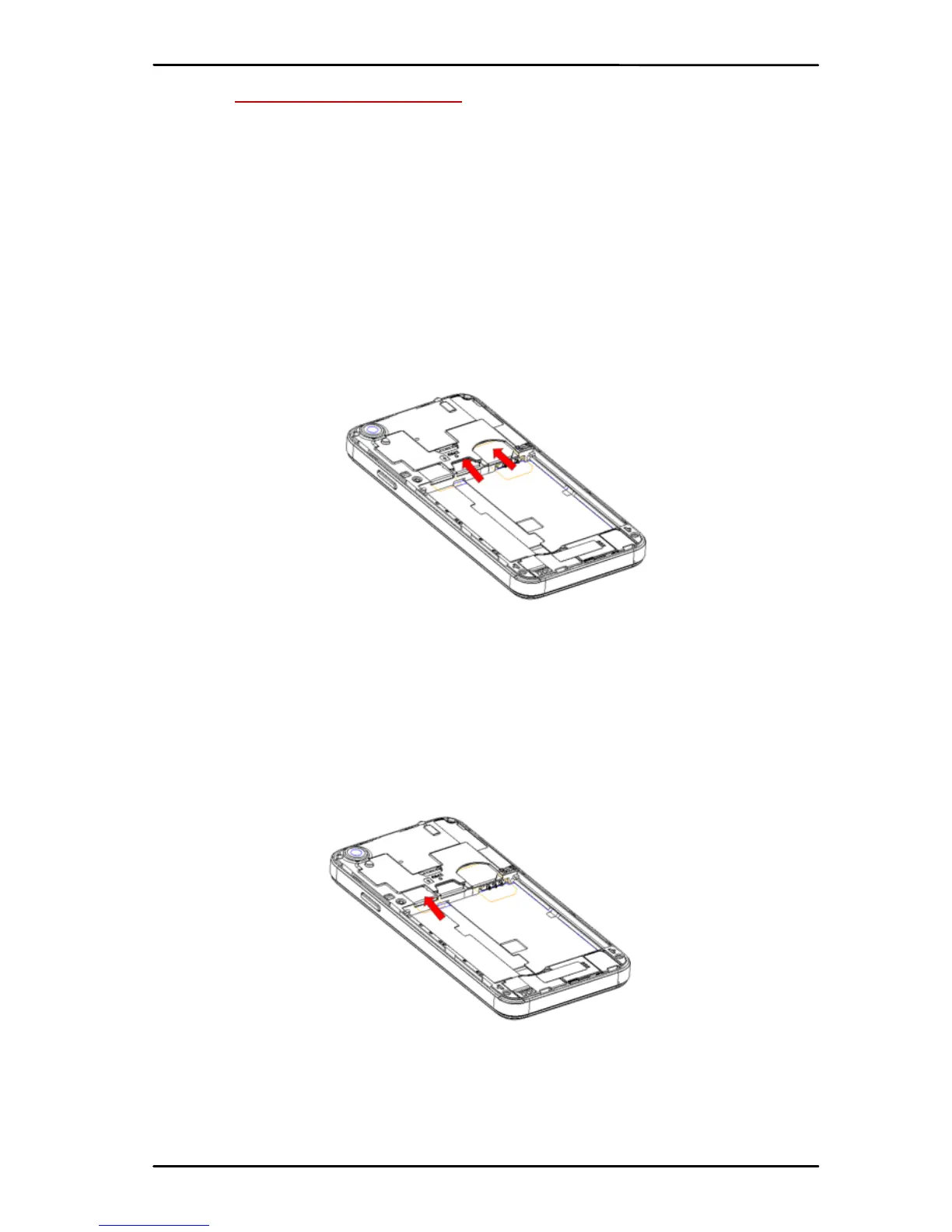
Insert the SIM ca rd correctly in the ca rd slot(s)
(See figure below). G/ W sl ot is for 3G network; G
Slotisfo r 2G.
InsertSIMcardcareful ly!
Finally in sert the battery and re pl ac e the rear
cove r of themob ileph one.
3.2. Insert Memory card
iris X1 Atom allows yo u to expa nd ext ern al
memorywit hamicroSDca rd, upto32GB.
Po we r off the mobi lephone,andthenre mo ve the
rear co ve r andb atter y.
Insertthememorycardintotheslot.
Finallyinsertthebatte ryandtherea r co ve r ofthe
mobilephone.
Use only co mp at i b le memory cards approved by
with this device. Incompatib le memor y card s may



 To Next Page