User Guide
Model – iris X1 Atom 5
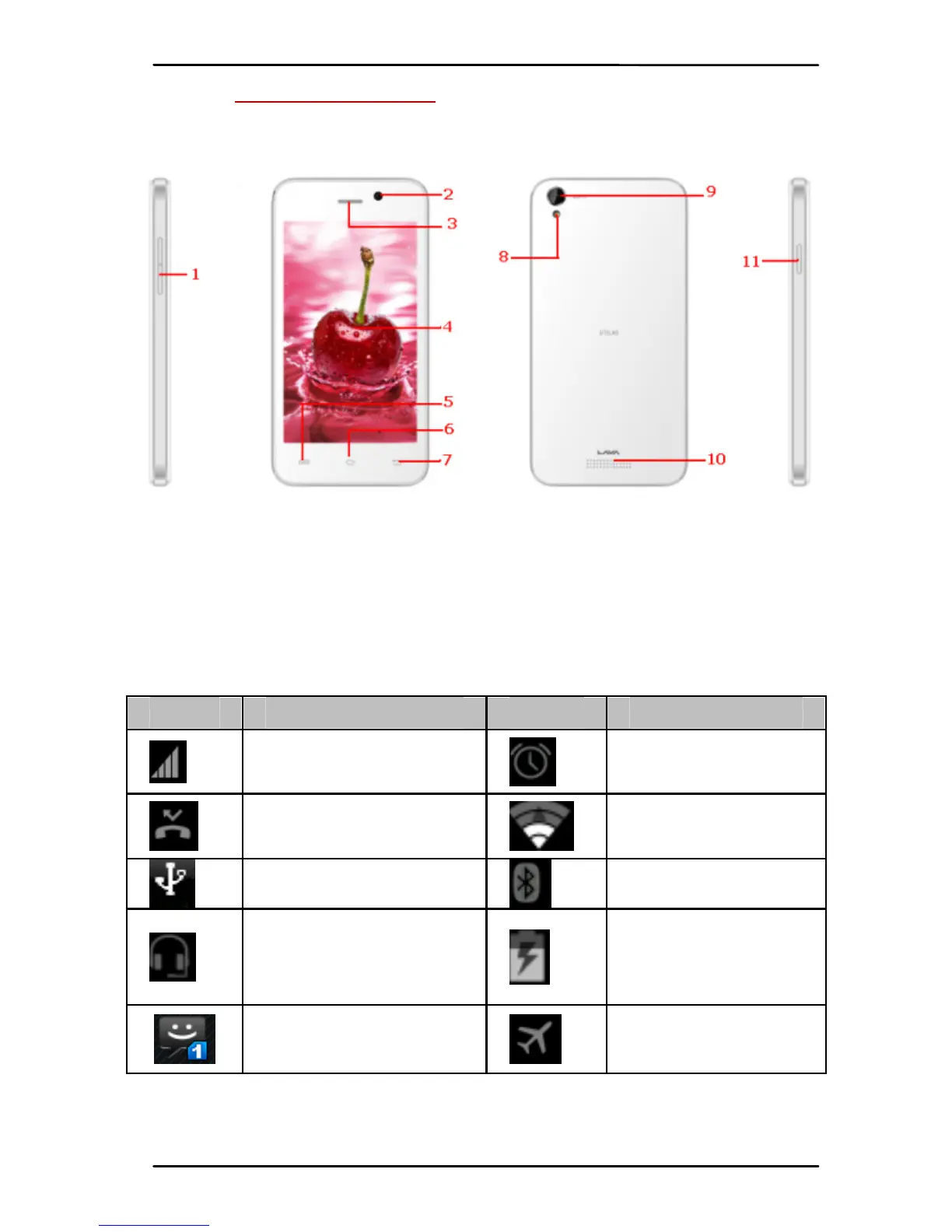
2- PHONE LAYOUT
2.1. Keys and Parts
1.VolumeKey 5.MenuKey 9.RearCa mera
2.FrontCamera 6.HomeKe y 10.Speaker
3.Receiver 7.BackKey 11.Powe r Key
4.Screen 8.Flash light
2.2. Icons and Indicators
Icons Indicators Icons Indicators
Signalstre n gth
indicator
Alarmhas
beenset
Newmissedca l l s
Wi‐Fiis
activated
USBisconnected
Blu etooth ison
Theheadphone
isbein gused
Batter y
charging
symbol
Newmessage
fromSIM1
Airplanemode
isactivated



 To Next Page