DM442 Digital Stepping Drive Manual V1.0
Tel: +000 0000-00000000 16
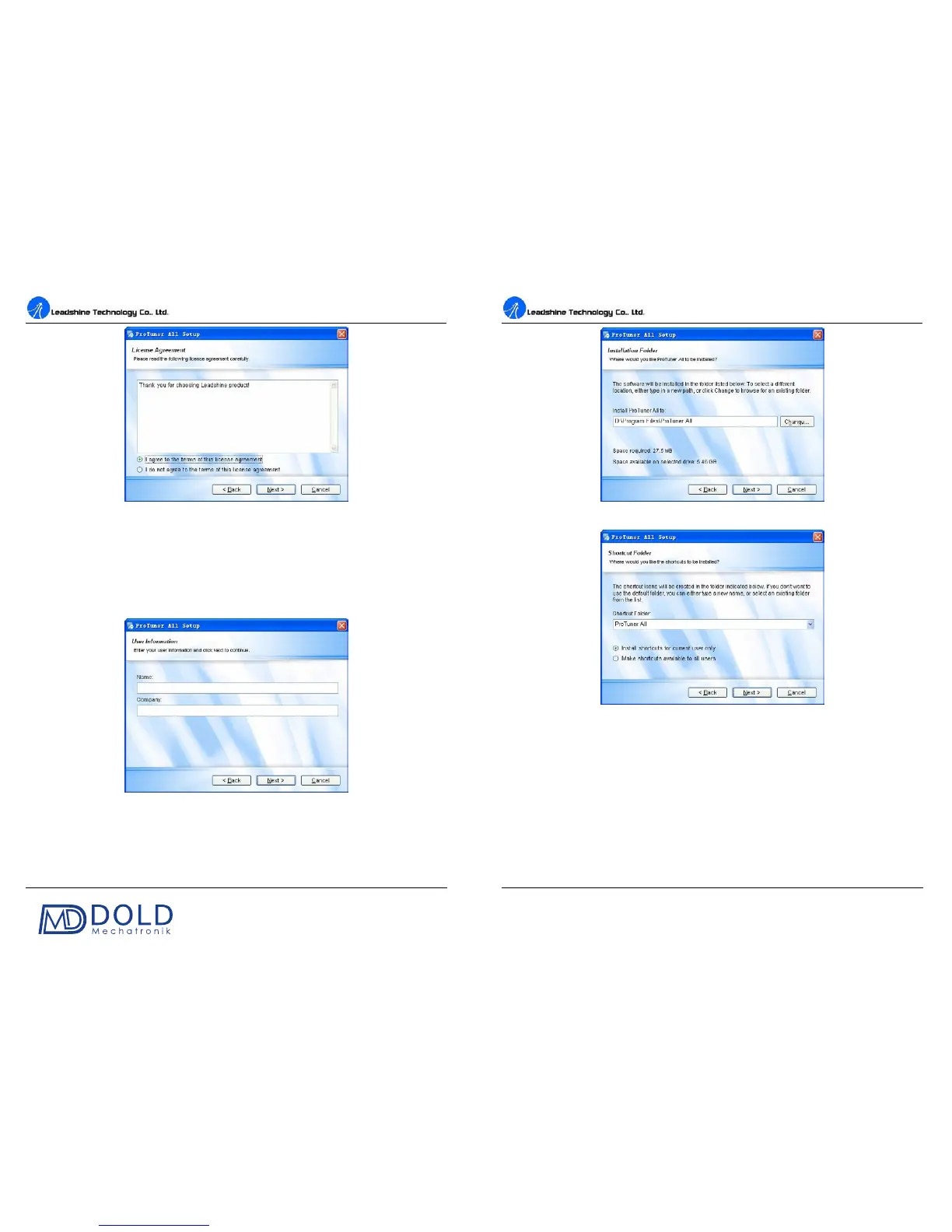
Figure 12: License agreement
Choose “I agree to the terms of this license agreement” and click Next to continue installation. The
user can enter user’s information in the following window. See Figure 13. After entering the user’s
information, click Next to select installation folder, where you would like to install the ProTuner. See
Figure 14.
Figure 13: User’s information settings
DM442 Digital Stepping Drive Manual V1.0
Tel: +000 0000-00000000 17
Figure 14: Installation folder settings
Figure 15: Shortcut folder setting
Set the “Shortcut Folder” in Figure 15 and continue to install the ProTuner by following Figure 16
and Figure 17. An Installation Successful window will appear if the ProTuner is installed
successfully. See Figure 18.


 To Next Page