LECTROSONICS, INC.8
NOTE: Press the
BACK button from
the Main Window
to briefly display
the external power
supply voltage.
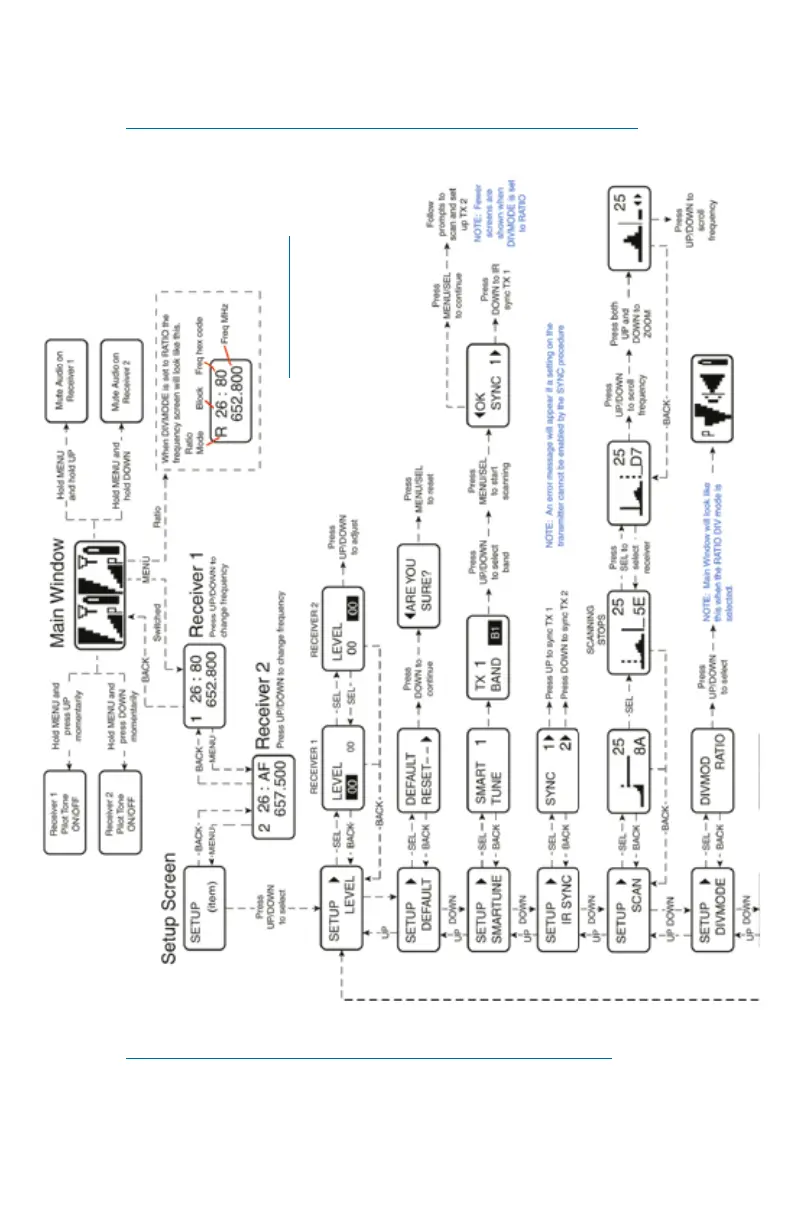
Navigating the LCD
Note: Press the BACK button from the Main Window to briefly
display the external power supply voltage.
Accessing Block 606
NOTE: Block 606 is ONLY AVAILABLE in Bands B1 and C1.
Available from any setup screen that displays the two receiver selection
options next to each other, press and hold the DOWN arrow and simulta-
neously press PWR/BACK. Using the DOWN arrow, toggle between B1/C1
and Block 606.



 To Next Page