The robot enters the nerwork configuration AP
mode, and the start / pause flash slowly in blue.
Network paring AP mode
(Only 2.4G Wi-Fi can be supported)
11
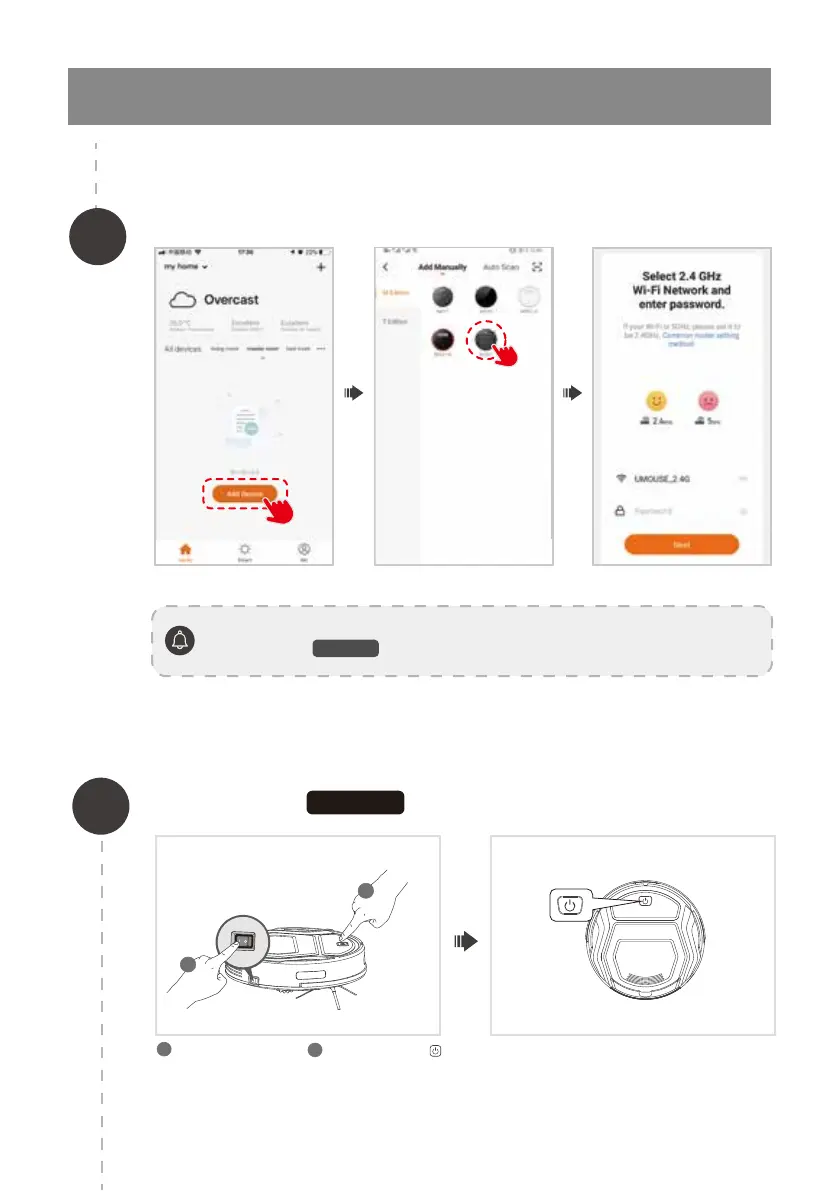
Turn on the side switch. Press and hold the
key for about 6 seconds until you hear two beeps
and release.
1
2
3.Operating and Programming
Open the app and select add device, the interface as follows:
If you experience with network pairing failure, please restart the robot and start over
again. Or try the
AP mode network pairing method instead.
2
2
1
1
AP MODE



 To Next Page