3.Operating and Programming
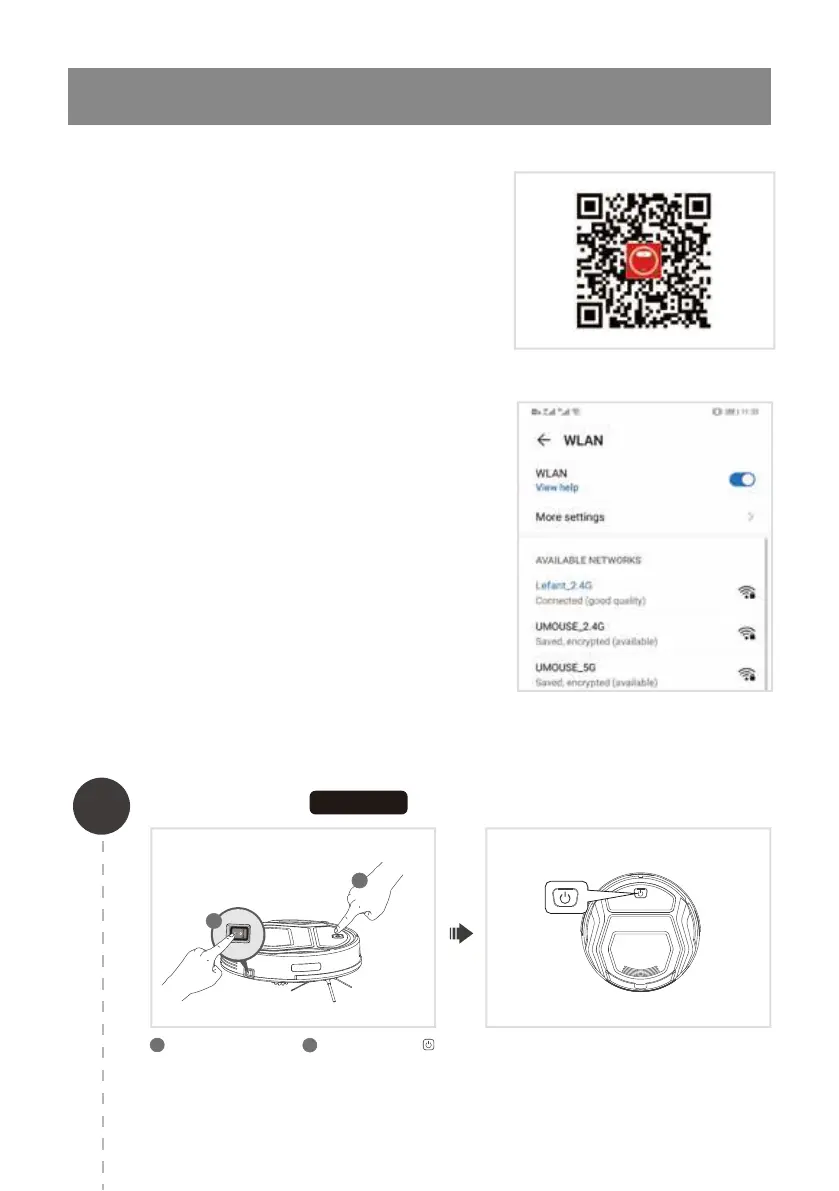
Scan the QR code to download and install
the app
Connect to your Indoor 2.4G WIFI network
This app is compatible with IOS9.0 and Android 4.0 or above.
ios system: Please search “Lefant life” in the app store.
Android system: Please scan the QR code or search
"Lefant Life" on google play to download.
3.3 APP download and network configuration
Make sure the mobile device is connected to the indoor 2.4G
WIFI network, and the signal quality is good enough, register
and log in to the mobile app.
10
1
The robot enters the network configuration EZ
mode, and the start / pause flash quickly in blue.
Network paring EZ mode
(Only 2.4G Wi-Fi can be supported)
1
2
Turn on the side switch. Press and hold the
key for about 3 seconds until you hear a beep and
release.
1
2
EZ MODE



 To Next Page