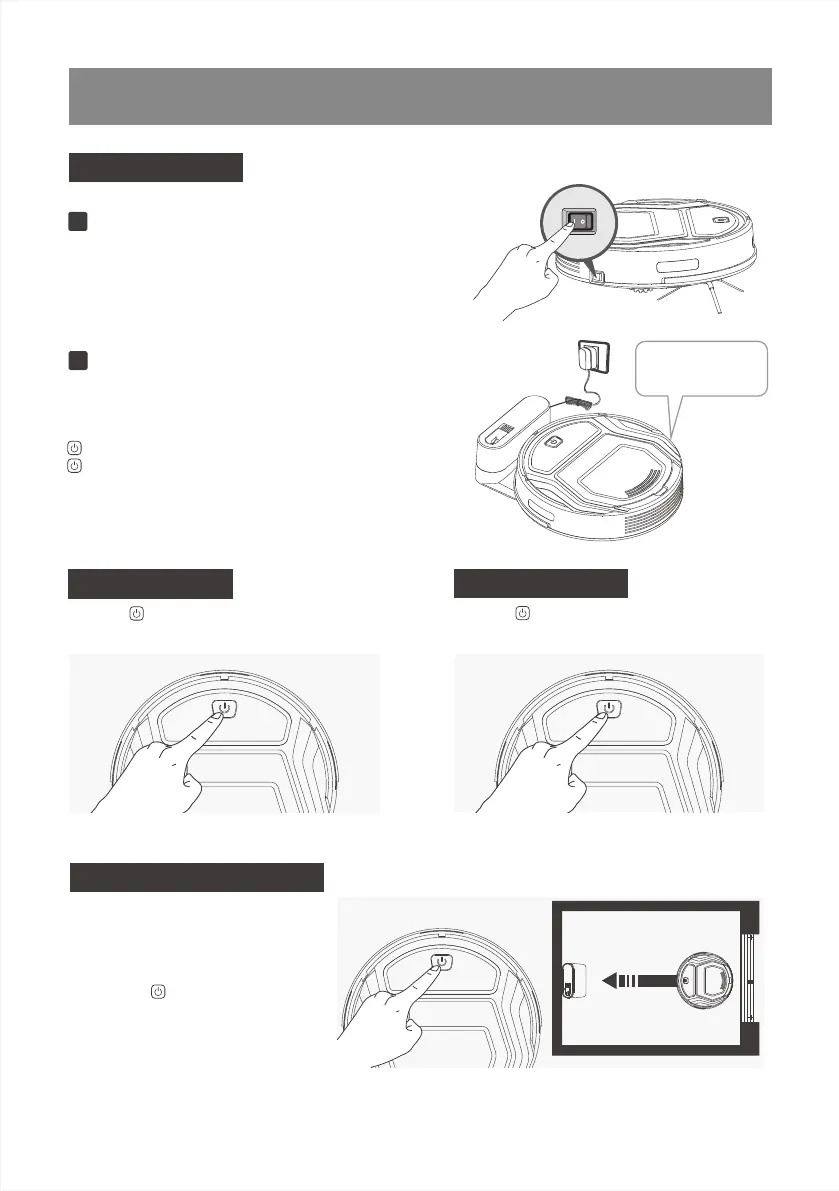
button in breathing status when robot is charging,
button stops glowing after robot is fully charged.
Usually take 3.5 hours from low battery mode to fully
charged.
3.Operating and Programming
Turn the robot’s Side Power Switch to the ON
position. “-” indicates power ON and“O” indicates
power OFF. Robot is powered ON when button
glows a continuous BLUE.
Start to Charge
Start Cleaning
Turn on the Robot
1
Charge Robot
2
Place robot on the Charging Dock making sure the
Charging Contacts on robot and the Charging Dock
Pins make a connection.
When battery power gets low, Robot
automatically switches to Return to
Charger Mode and returns to the
Charging Dock to recharge itself.
Alternatively, double click on the
Start/Pause button on the robot to
start the Return to Charger Mode.
Press the button to Pause the Cleaning.Press the button on the robot to start the
automatic cleaning mode.
Pause Cleaning
Return to Charging dock
Make sure to turn the
robot’s Power Switch
on before charging.
9



 To Next Page