Interfaces
The automation also allows you to use traditional devices or
a personal computer, thus allowing high flexibility of use for
external systems. The connection between modern digital
SCS BUS technology and a traditional cabling component or
PC is represented by special devices called interfaces.
As a result, these devices interpret information of the
traditional world, thus translating it into signals compatible
with SCS BUS logical devices.
These interfaces are:
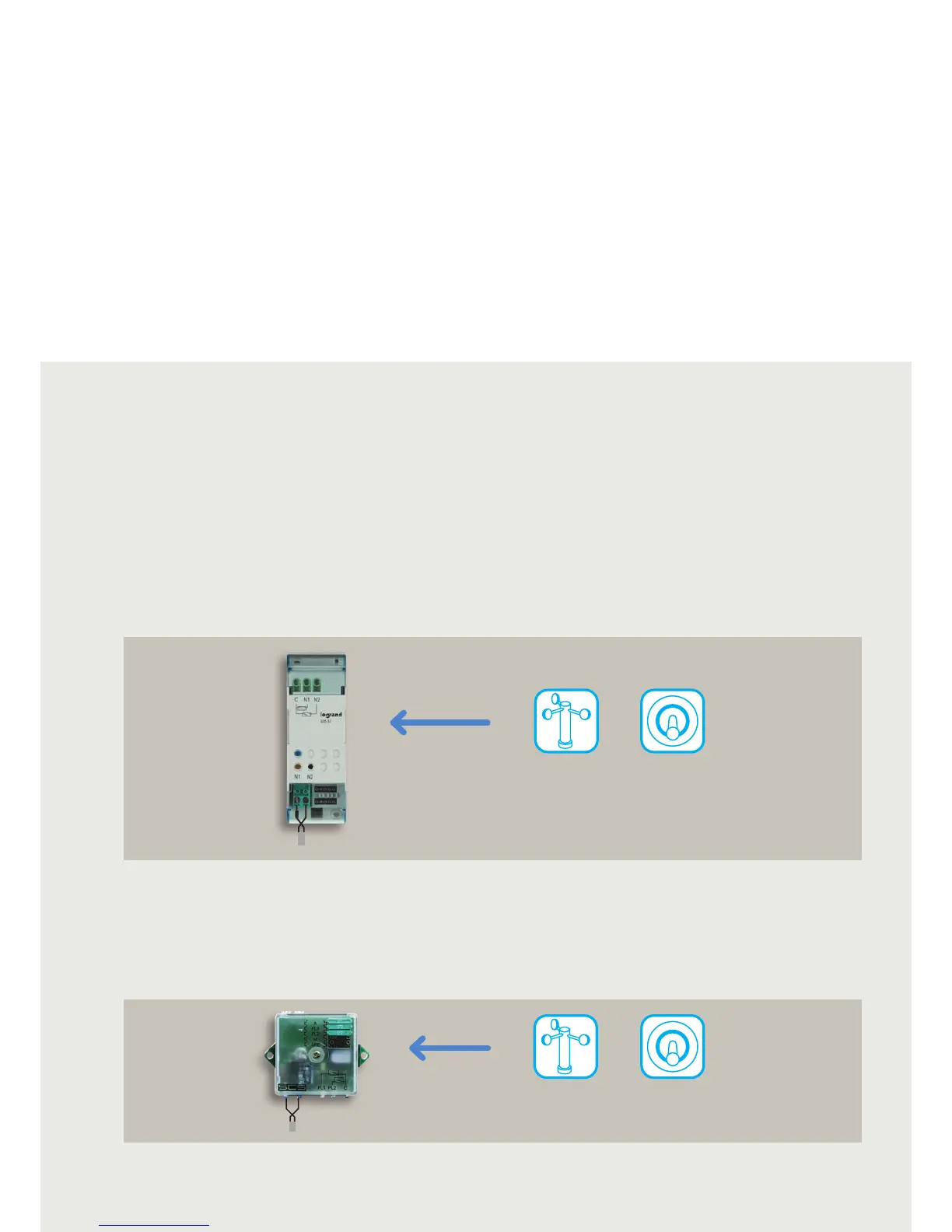
• DIN module contact interface 035 53
• Basic module contact interface 5739 96
• SCS/SCS gateway 035 62
• SCS/OPEN KONNEX interface 5739 93
(see CONTROL AND INTEGRATION section).
• WEB SERVER 5739 92
This device can be used to connect traditional devices - like
switches and pushbuttons - to the BUS, thus extending the
use of BUS to pre-existing traditional systems.
Thermostats, control systems, humidity sensors, wind
sensors, etc. can also be connected.
CONTACT INTERFACE IN DIN MODULE
Thanks to its limited size, this device can be installed behind
other devices; indeed, in a 503E box, the interface can be
installed just behind traditional devices (e.g.: switches,
pushbuttons) or reduced-thickness electronic devices
(e.g. controls, sensors). Thermostats, humidity sensors,
wind sensors, etc. can also be connected. Such a simple
installation solution makes it easier to convert traditional
electrical systems into home automation systems, since
existing flush-mounted boxes can be left in place, with no
need for any masonry.
CONTACT INTERFACE IN BASIC MODULE
SCS BUS
DIN contact interface
035 53
External
devices
Prestige switch
(reuse of historical
devices)
SCS BUS
Basic contact interface
5739 96
External
devices
Prestige switch
(reuse of historical
devices)



 To Next Page