FlexLine/FlexLine plus, 38
Mining Data Manager
6.2 Functionality
Creating fixpoint
files step-by-step
In the Data Input module, the Mining Data Manager allows users to create, view,
modify and save coordinate lists.
Define tolerances
step-by-step
For defining tolerances ensure that the unit setting on the instrument, select
Settings -> Regional, is identical to the units set in the Mining Data Manager, select
Settings -> Units.
Step Description
1. Open a new project: File -> New Project.... Enter the project name and file
location.
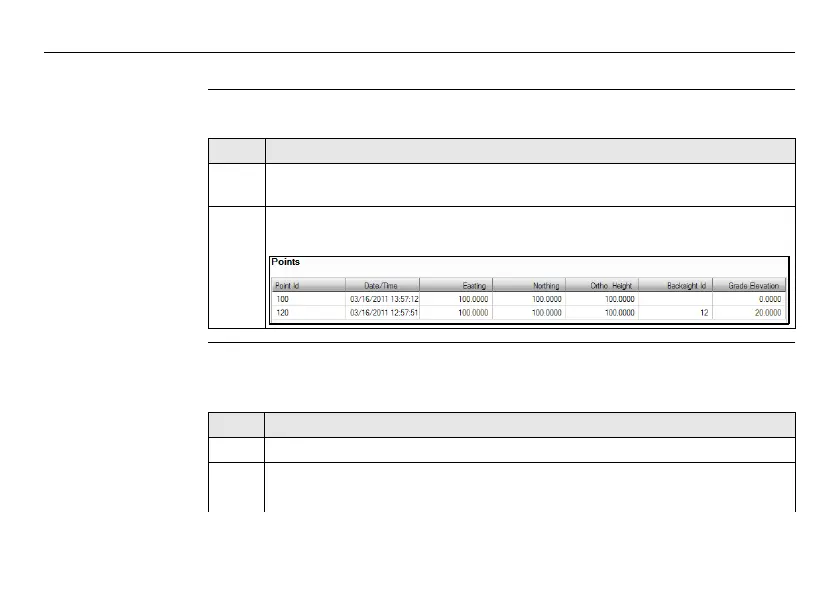
2. Enter point IDs, and for each one: coordinates, a backsight reference point,
and a grade elevation.
Step Description
1. Open tolerances: Settings -> Tolerances.
2. Enter the password. The default password is "123456".
)
To create a new password: Settings -> Password.



 To Next Page