Grades FlexLine/FlexLine plus, 27
4.3 Gradeline Marking
Access Press Set from the Grades screen.
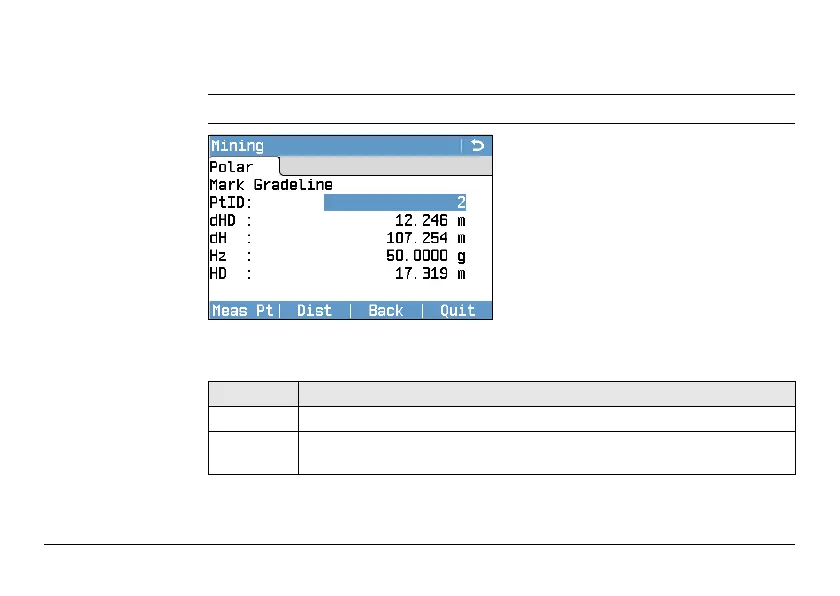
Mark Gradeline
Description of fields
Meas Pt
To start angle and distance measure-
ments and save the measured values.
Dist
To start distance and angle measure-
ments without saving the measured
values.
Back
To return to the previous screen.
Quit
To exit the application and return to
the Grades screen.
Field Description
PtID Point ID of the measured point.
dHD Difference in horizontal distance between the measured point and the
grade point.



 To Next Page