The displays/In the monitor / 79
4. In the monitor
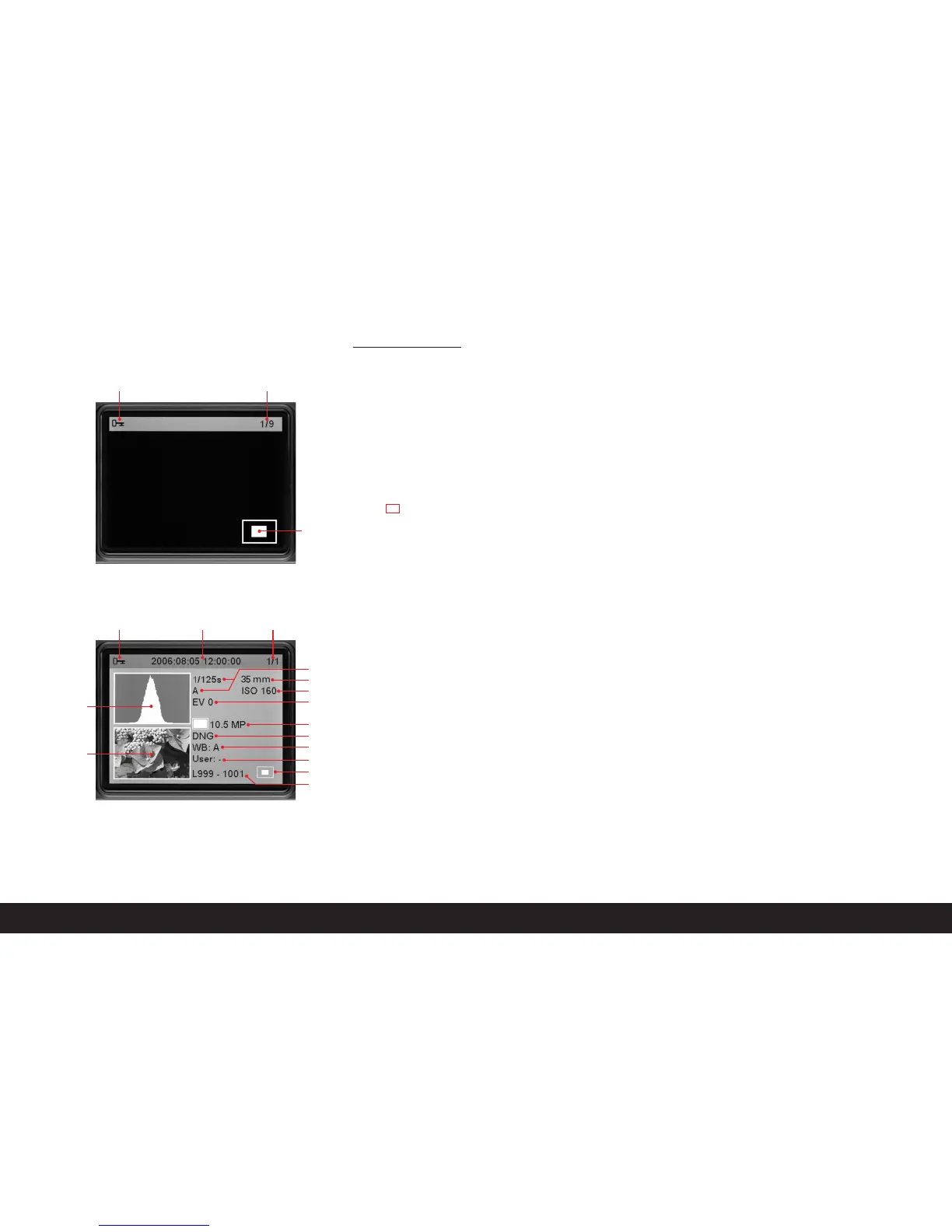
4.1 At normal review
(image/s fill the entire monitor area)
4.1.1 Delete protection symbol (only if set)
4.1.2 Picture number/total number of available
pictures
4.1.3 Enlargement level and/or position of section
shown
schematic, for enlarged view only)
4.1.4 Selected picture
(for reduced viewing of 4 or 9 pictures only)
4.2 Reviewing with additional information
(
INFO
; reduced picture size)
4.2.1 Picture (if necessary with “Clipping” display
1
)
4.2.2. Histogram
a. Luminance (brightness)
b. Red/green/blue
(separate display of individual colors)
4.2.3 Delete protection symbol
(only if set)
4.2.4 Date/time
4.2.5 Picture number/total number of available
pictures
4.2.6 Picture information
a. Exposure mode and shutter speed
b. Focal length
2
c. Sensitivity
d. Exposure compensation
e. Resolution
f. Compression/file format
g. White balance
i. User profile number
j. Folder number/file name
k. Size and position of section (only if in use)
1
see “The Histogram”, p. 92
2
Only with the latest M lenses with 6-bit coding, or suitably
converted lenses (see p. 86)
4.1.1
4.2.3 4.2.4 4.2.5
4.1.2
4.1.3
a
b
c
k
e
f
g
i
j
d
4.2.6
4.2.2
4.2.1


 To Next Page