114 / Comprehensive instructions/Additional functions
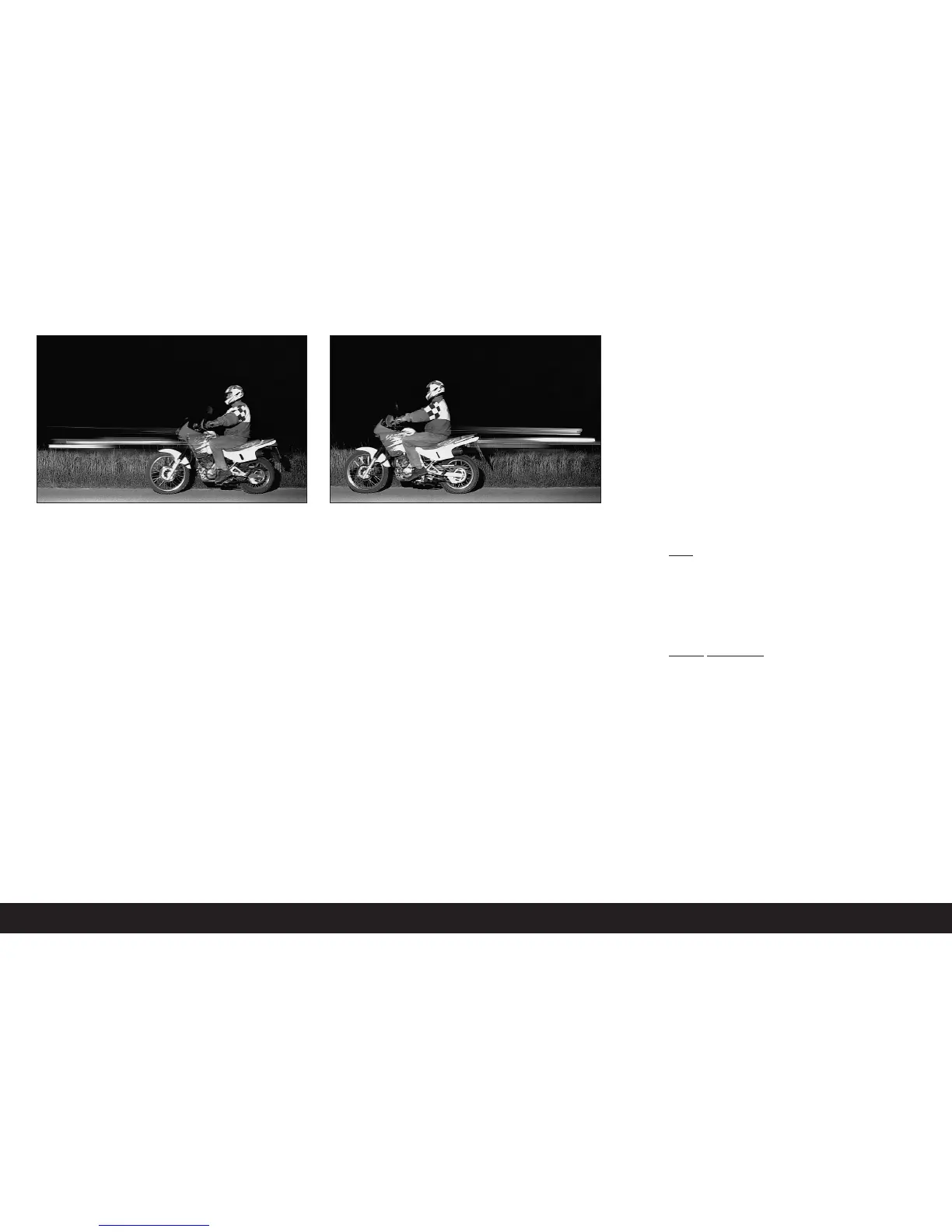
With the flash fired at the normal moment, at the
beginning of the exposure, i.e. immediately after the
1
st
shutter curtain has opened the frame completely,
this can even lead to apparent contradictions, such as
in the picture of the motorcycle (left), which is being
overtaken by its own light tracers.
The LEICA M8 gives you a choice between this normal
flash firing moment and synchronization with the end
of the exposure, i.e. immediately before the 2
nd
shut-
ter curtain begins to close the frame again. In this
case, the sharp image is located at the end of the
movement. In the photograph (right), this flash tech-
nique gives a natural impression of movement and
dynamics.
This function is available at all camera and flash unit
settings, and in aperture priority mode as well as in
manual shutter speed selection, in the various auto-
matic flash modes as well as in manual flash mode;
this displays are the same in all cases.
Setting the function
1. In the main menu (see p. 80/93) select Flash Sync
(5.1.12) and
2. in the respective sub-menu, select the desired
variant: 1
st
Curtain or 2
nd
Curtain.
Additional functions
User/application specific profiles
On the LEICA M8, any combination of all main and pic-
ture parameters menu settings can be permanently
stored, e.g. so that they can be retrieved quickly and
easily for recurring situations / subjects. A total of
three memory slots are available for these combina-
tions - 1 / 2 / 3
Applying settings/Creating a profile
1. Set the desired functions in the main and picture
parameters menus.
2. In the main
menu (see p. 80/93) select Save User
Profile (5.1.2), and
3. in the associated sub-menu select the desired
memory slot.
Selecting a saved profile
1. In the picture parameters menu (see p. 80/93)
select User Profile (5.2.6), and
2. in the associated sub-menu select the desired pro-
file.


 To Next Page