3. To start the delay time press the shutter release
button (1.20) to the first pressure point, see p. 89).
• The LED (1.7) on the front of the camera flashes
for the first 10s of a 12s delay time, then it stays
lit continuously, to show the progress of the
delay time. The countdown is shown on the
monitor at the same time.
While the self timer delay time is running, it can be
aborted at any time by pressing the
SET
button (1.22)
– the relevant setting is retained and the function can
be restarted by touching the shutter release button
again.
Important:
In self timer mode, the exposure is not set when
depressing the shutter release to the pressure point,
but immediately before the picture is taken.
Transferring data to a computer
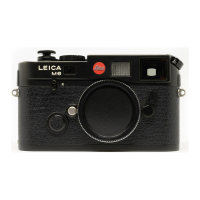
The LEICA M8 is compatible with the following operat-
ing systems:
Microsoft® : Windows® XP
Apple® Macintosh® : Mac® OS X
The LEICA M8 is equipped with a USB 2.0 interface
for transferring data to a computer. This allows fast
data transfer to computers with the same kind of
interface. The computer used must have either a USB
port (for direct connection to the LEICA M 8) or a card
reader for SD cards.
Note:
When using a USB connection, note the following:
Connecting two or more devices to a computer or
connecting using a hub or extension cables can result
in malfunctions.
Connecting and transferring the data
with Windows®XP
1. Use the supplied USB cable (C) to connect the USB
socket (1.34) on the LEICA M8 to the USB socket
on the computer. First the flap (1.26) over the USB
socket on the camera must be pulled downwards to
open it.
• A message appears on the Desktop informing
you that the LEICA M8 has been detected as new
hardware (only the first time this connection is
made).
2. Double click on this message (first time only).
a. A drop-down menu headed “M8 Digital Camera”
will appear for the data transfer wizard.
3. Click on “OK” and follow the further instructions by
the wizard to copy pictures in the usual way to a
folder of your choice for future access.
Comprehensive instructions / 121



 To Next Page