96 / Comprehensive instructions/Presets
Time
The time can either be shown in 24-hour or 12-hour
format.
Setting
Both the two groups of figures and the display format
are set under the Time menu item (5.1.18) using the
Setting and View sub-items, essentially as described
for the Date.
Automatic power off
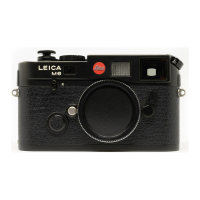
This function switches the LEICA M8 off automatically
after a pre-set time. This switched-off condition is
equivalent to setting the main switch to
OFF
(1.19,
see p. 88).
You can select,
a. whether to activate this function, and if so
b. after what period of time the camera should be
switched off.
In this way, you can tailor this function to your own
personal working methods and also significantly
extend the life of your battery charge.
Setting the function
1. In the main menu (see p. 80/93) select Auto
Power Off (5.1.11), and
2. the desired function.
Note:
Even when the camera is in ready status, i.e. the
displays have gone out after 12s, or the activated
Auto Power Off function has switched it off, it can
be reactivated at any time by pressing the shutter
release button (1.20).
Button acknowledgement and signal tones
With the LEICA M8, you can decide whether you want
your settings and other functions and warning mes-
sages to be acknowledged by an acoustic signal – two
volumes are available - or whether operation of the
camera should be largely silent.
A click or a beep tone is used as an acknowledge-
ment, which can be activated individually to confirm
presses of buttons and to indicate a full memory card.
Note:
By factory default, the signal tones are deactivated.
Setting the functions
1. In the main menu (see p. 80/93) select Acoustic
Signal (5.1.19), and
2. call up the sub-menu (see p. 94). There are three
items, Volume, Key Click and Attention SD card
full.
3. Select Volume, and
• A further sub-menu appears containing the 3
alternatives Off (no tones at all), High (loud) and
Low (quiet).
4. Choose the desired function in this sub-menu.
• After confirmation, the initial monitor screen
appears again.
5. In the other two sub-menus, choose whether or not
you want to activate the tones for the respective
functions.



 To Next Page