Working color space
The requirements in terms of color reproduction differ
considerably for the various possible uses of digital
picture files. Different color spaces have therefore
been developed, such as the standard RGB
(red/green/blue) that is perfectly adequate for simple
printing. For more demanding image processing using
appropriate programs, e.g. for color correction,
Adobe
©
RGB has become established as the standard
in the relevant sectors. In the professional pre-printing
stage, ECI is used extensively.
The LEICA M8 permits setting to one of these three
color spaces: sRGB, Adobe RGB or ECI RGB.
Note:
When using ECI RGB the depiction of the colors in the
monitor is paler than when reproduced in reality (i.e.
in a print).
Setting the function
In the main menu (see p. 80/93) select Color Man-
agement (5.1.14), and
in the associated sub-menu select the desired function.
Notes:
• If you want to have your prints produced by major
photographic laboratories, mini labs or Internet pic-
ture services, you should always select the sRGB
setting.
• The Adobe RGB/ECI RGB settings are only recom-
mended for professional image processing in com-
pletely color-calibrated working environments.
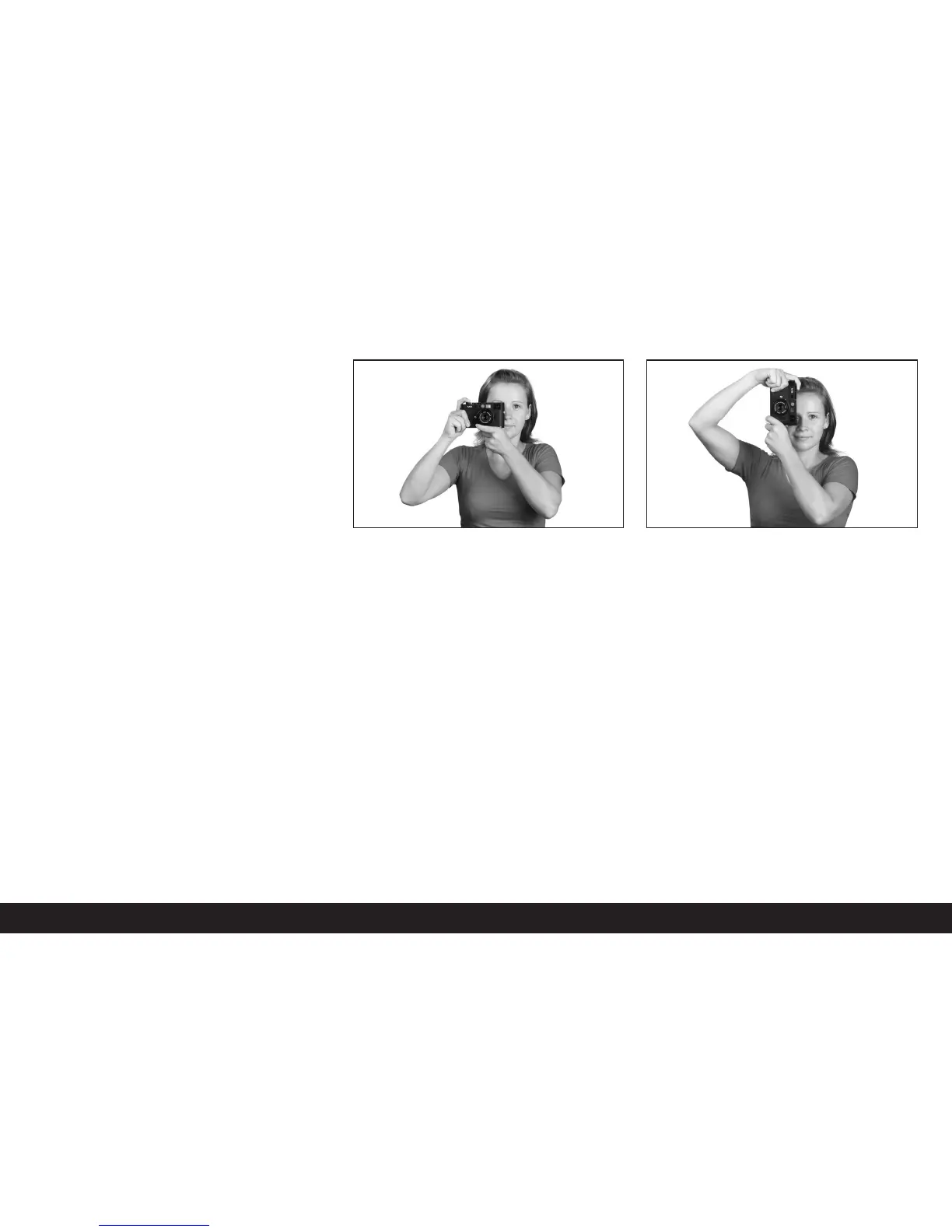
Holding the camera correctly
For sharp, blur-free pictures, the camera should be
held as steadily and comfortably as possible. To
ensure suitable secure “three point support” for the
LEICA M8, hold the camera with the right hand, with
the index finger on the shutter release button and the
thumb behind the rear of the camera body for stabi-
lization. The left-hand either supports the lens from
below, ready for fast focusing adjustments, or is
around the whole camera. Holding the camera against
the forehead and cheek provides additional support.
For portrait format pictures, turn the LEICA M8 to the
left. The hands remain in the same position as for pic-
tures in landscape format.
However, you can also turn it to the right. In this case,
it may be advantageous to release the shutter with the
thumb.
Notes:
• As a practical accessory, we recommend the M8
Hand Grip which allows you to hold the LEICA M8
extremely steadily and to carry it with one hand
(order no. 14 471 black, 14 472 silver).
• The LEICA M8 is fitted with an integral sensor which
detects the position of the camera – horizontal or
vertical (both directions) – for each picture. This
information allows the pictures always to be pre-
sented upright automatically when subsequently
displayed on a computer running the appropriate
programs (not on the camera monitor!).
Comprehensive instructions / 101



 To Next Page