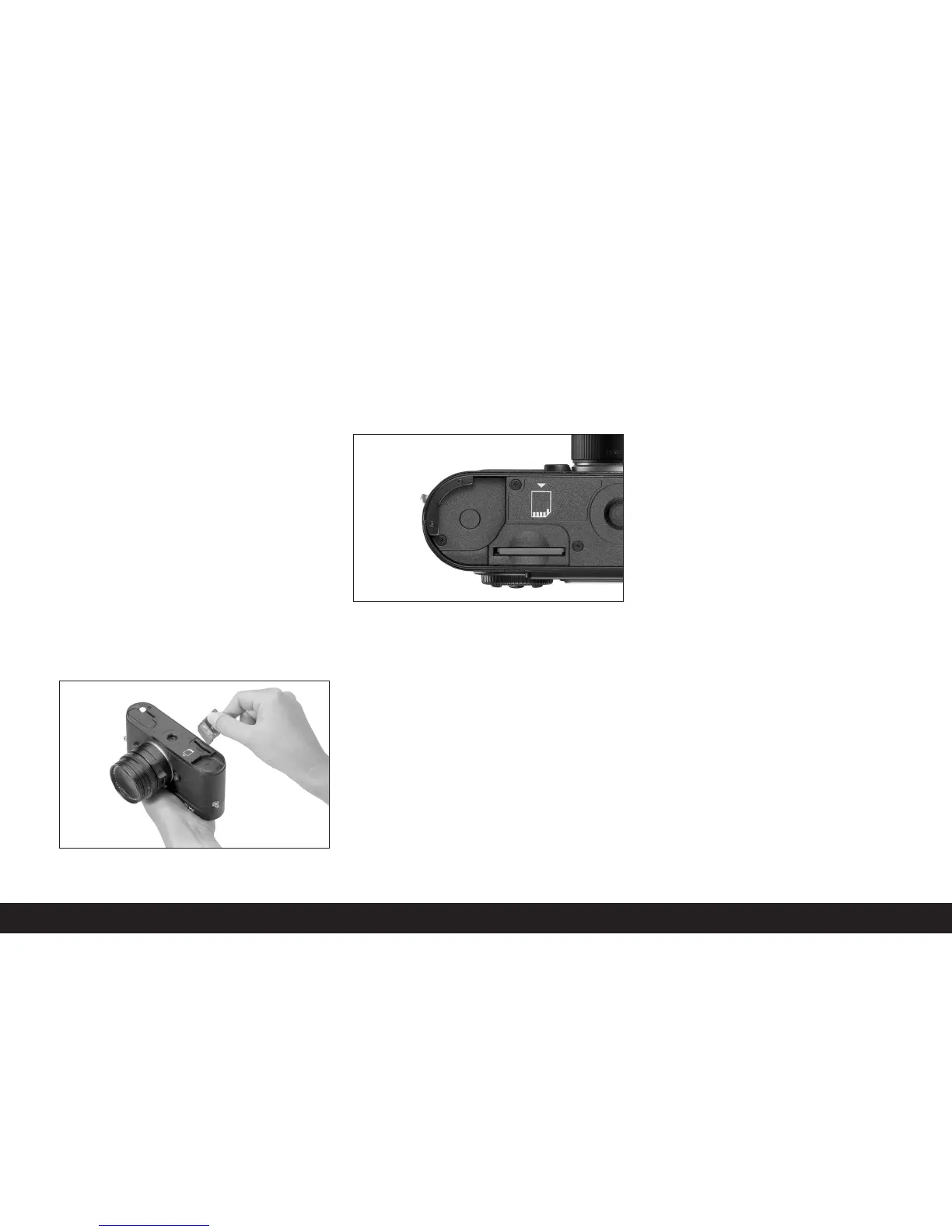
Inserting and removing the memory card
The LEICA M8 saves the picture data on an extremely
compact SD (secure digital) card.
SD memory cards are small, light and interchangeable
external storage media. SD memory cards, particular-
ly those with a high capacity, allow significantly faster
read/write times and significantly faster recording
and replay of the data. An SD card has a write protec-
tion switch, that can be used to prevent unintentional
storage and deletion of pictures. This switch takes the
form of a slider on the non-beveled side of the card; in
the lower position, marked LOCK, the data on the card
is protected.
SD memory cards are available from different suppli-
ers and with different capacities.
Note:
Do not touch the memory card contacts.
1. Set the main switch (1.19) to
OFF
.
2. Remove the bottom cover (1.36) of the camera.
To do this:
a. flip up toggle (1.37) in the bottom cover,
b. turn it to the left as far as the stop, and
c. lift off the bottom cover.
3. Insert the memory card into the slot (1.40) with the
contacts at the back and with the beveled corner
pointing downwards. Slide it completely into the
slot against the spring resistance until you hear it
click into place.
4. Replace the bottom cover. To do this:
a. hang it onto the retaining clip (1.9) on the side of
the camera
b. swing it down,
c. lock it by turning the toggle to the left as far as
the stop, and
d. push the toggle back down.
To remove the memory card, switch off the camera
and follow this procedure in reverse order. To release,
the card must first be pressed slightly further in – as
indicated on the camera bottom.
Notes:
• The range of SD cards available is constantly chang-
ing; some cards in certain circumstances may mal-
function when used in the LEICA M8. A current list
of the cards suitable for use can be found in our
Homepage under:
www.leica-camera.de/photography/m_system/m8
• If the memory card cannot be inserted, check that
it is aligned correctly.
• If you remove the bottom cover or take out the
memory card, the monitor displays the respective
warning messages instead of the normal display:
– Bottom cover removed
– No SD card
• Do not open the bottom cover nor remove the
memory card while the red LED (1.32) to the bot-
tom right of the monitor (1.33) is flashing, indicating
image recording and/or data saving to the card.
Otherwise the not yet (completely) saved image
data may be lost.
• As electromagnetic fields, electrostatic charges,
and defects on the camera or the card can lead to
damage or loss of the data on the memory card,
we recommend that you also transfer the data to a
computer and save it there (see p. 121).
• For the same reason, it is recommended that the
card is always stored in its antistatic cover.
Comprehensive instructions/Preparations / 85


 To Next Page