18
Instruction manual V3.2 – 02/2002
7. Setting up the instrument
7
6
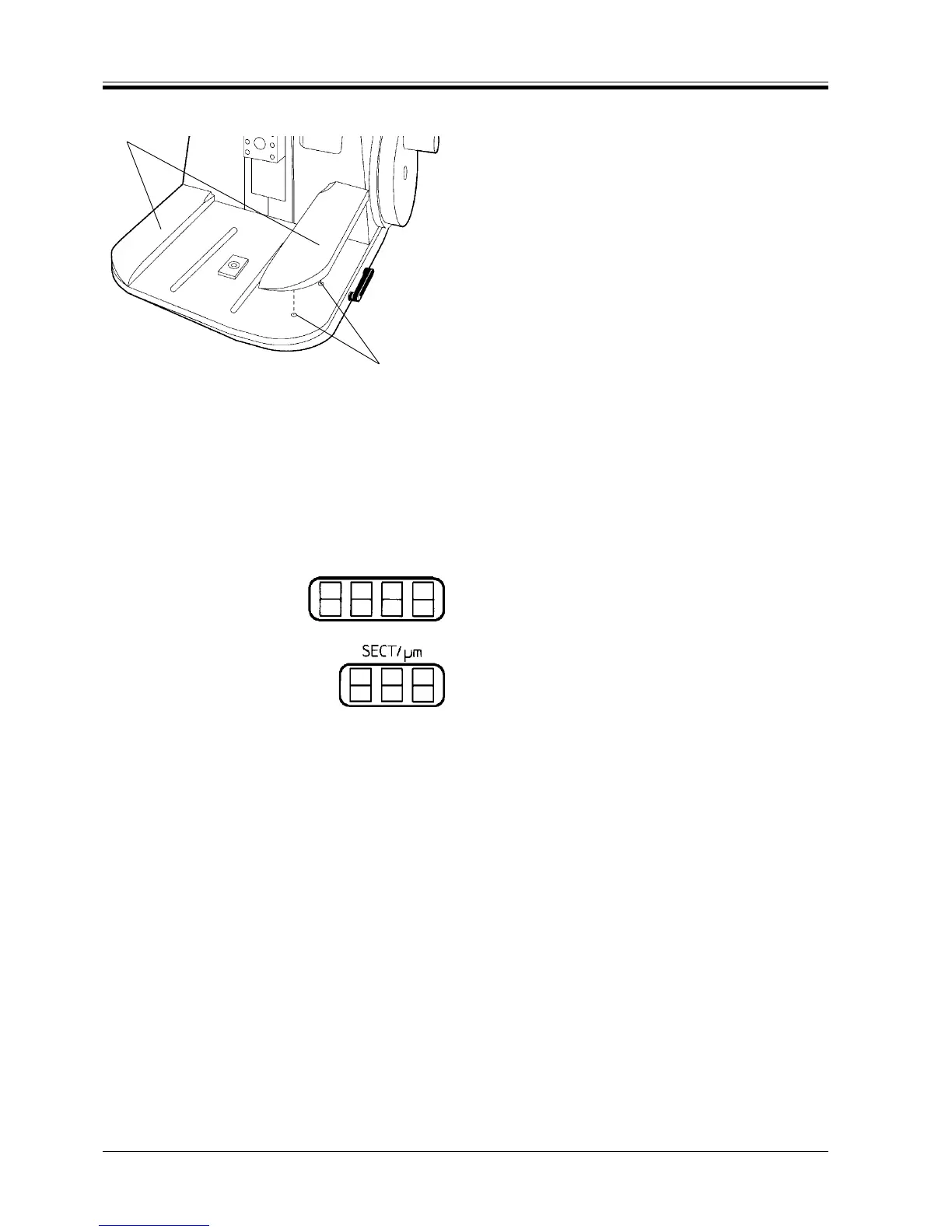
Fig. 18
7.2 Installing the arm rests
• Insert the pins on the underside of the arm rests (6)
into the corresponding holes (7) of the microtome
base plate as shown.
7.3 Switching on the instrument
• Switch on the mains switch at the rear of the in-
strument.
Switching on the mains switch is followed by a beep.
The instrument initializes.
Next the software version is displayed in the four-digit
display for approximately 2 seconds.
Depending on the preselected setting, one of the two
three-digit displays either reads the currently selected
sectioning (SECT./µm) or trimming thickness (TRIM/µm)
- (Shown here is the section thickness).
After turning on the instrument, all displays and the
LED’s of all activated functions are illuminated.



 To Next Page