20
Instruction manual V3.2 – 02/2002
7. Setting up the instrument
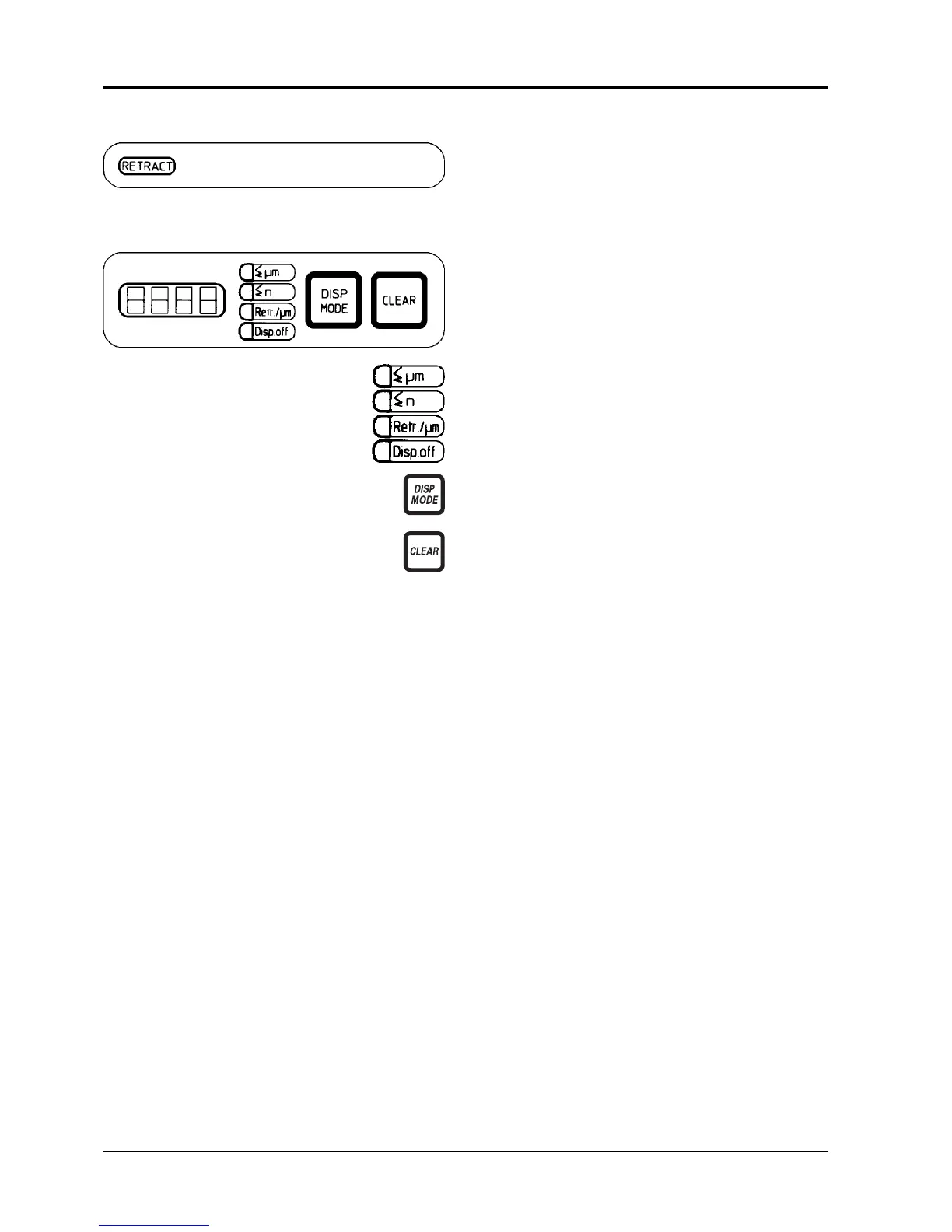
‘Retract’ indication
RETRACT (yellow) is illuminated with specimen retrac-
tion is ‘ON’, while the specimen is in the actual retrac-
tion phase.
4-digit LED display
The display mode of the 4-digit display can be selected
as required. It can also be turned off.
Display modes:
Σ µm - Section thickness totalizing
Σ n - Number of sections
Retr./µm - Retraction value setting in µm
Disp. off - Display OFF
The LED of the selected display mode is illuminated.
• To change the display mode, push DISP MODE un-
til the LED of the desired mode is illuminated.
• Press CLEAR to reset section thickness totalizing
and number of sections.
Of the two resettable options, only the displayed value
is reset.
When switching off the instrument main switch, both
section thickness totalizing and number of sections are
deleted.
When selecting the horizontal specimen stop position-
ing mode, the positioning status is indicated on display.
RM 2145



 To Next Page