Through Dovetails
D4R Pro - CHAPTER 8
In these instructions for the Leigh D4R Pro Dovetail Jig, we have recommended certain bits and board sizes because
they are easy to work with. When you have routed some practice joints and gained confidence in your ability to
get the results you want, free to use the guidebush and adaptor selection charts in Appendix I, pages 69-70, and
bit options in Appendix II, pages 71-77, to plan whatever dovetail routing you need for your projects.
19
Start in
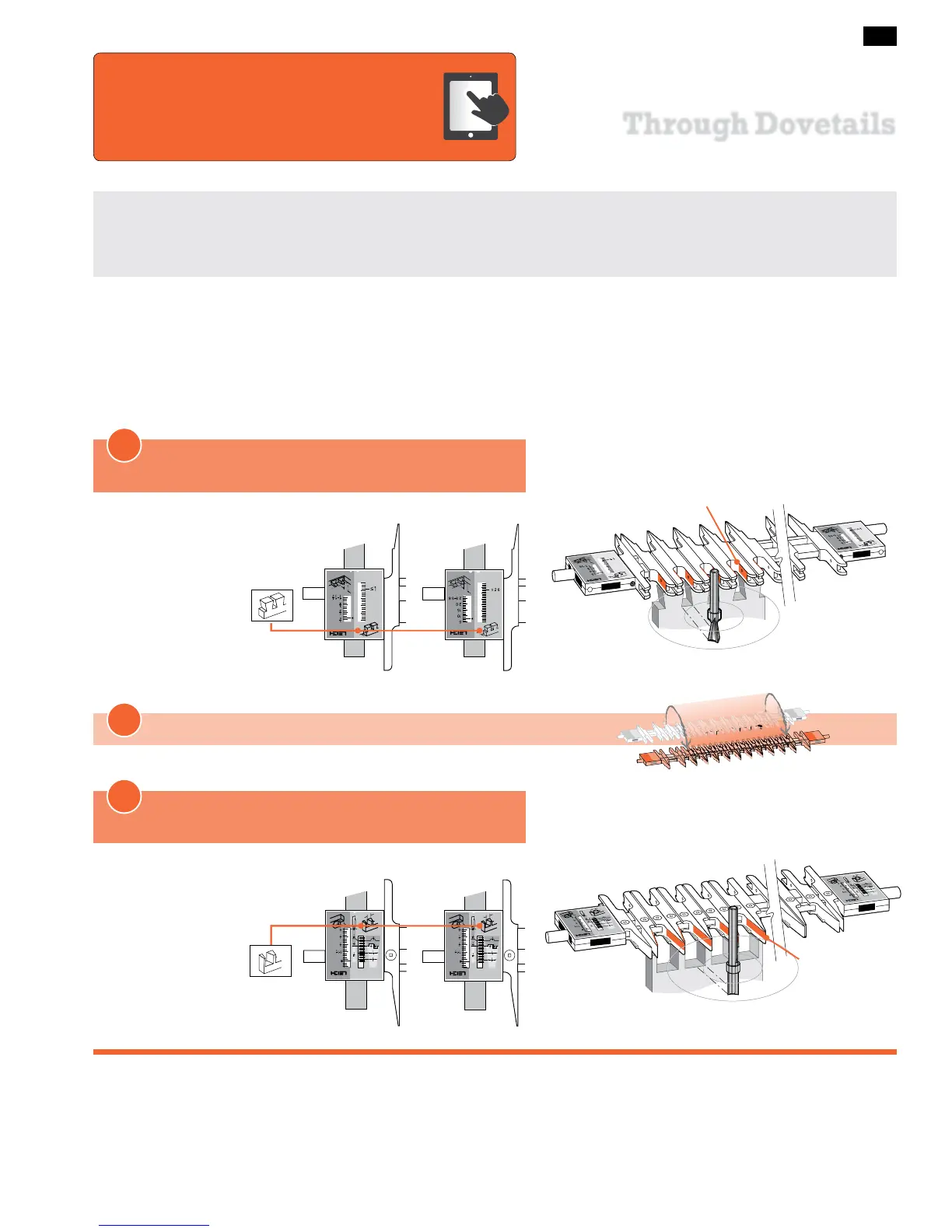
Through Dovetail Tails (TD TAILS) mode
ROTATE the finger assembly toward you 180°
Start with the Finger Assembly in the
D
TD TAIL mode and follow these steps on your jig. Grasping the simple basic concept of
operation will now greatly assist you in understanding the instructions. Note that the active guide surface (against which the guidebush
runs) is indicated in red in these illustrations.
MODE ICONS
Illustrations in this user
guide include the correct
mode icon for the cur-
rent instruction. The
icons are also used in
the instruction text.
Concept of Jig Operation – THROUGH DOVETAILS
Inches Millimeters
Active
Guide Surfaces
TD PINS
TD TAILS
1
2
Now the Finger Assembly is in
Through Dovetail Pins (TD PINS) mode
3
Inches Millimeters
Active
Guide Surfaces
The online video will reduce your learning time
dramatically!
Stream to your smart phone or tablet to use in
your shop as a visual reference. Find the video in the Instructional
Videos section of the Support menu at leighjigs.com.
Watch the Online Instructional Video



 To Next Page