CONTENTS and STANDARDS
ii
SUPERJIG-12-18-24 User Guide
Your New Leigh Dovetail Jig
Congratulations! You now own a most useful and versatile
dovetailing tool. The Leigh Superjig Dovetail Jig will help you
cut an infinite variety of joints, and all of its major functions
are described in detail in this user guide, plus there’s a slide-out
Quick Reference Guide underneath the jig. A very helpful
DVD is also included, but the user guide is essential reading.
We recommend that you first assemble and mount the jig,
carefully following the instructions in the first section of the
user guide. Then read the rest of the guide, following along
with the basic functions and principles of operation, before
you try to do any actual joinery routing. By all means, cut a
few practice joints in scrap boards before you use the jig to
rout a precious hardwood work piece!
If you have questions not answered in this user guide, please
call the Leigh customer support line: 1-800-663-8932
or email Leigh: help@leighjigs.com.
But remember: “If at first you don’t succeed, read the instruc-
tions!”
*See Appendix IV – Customer Support
Important! Inches and Millimeters
The Superjig can be ordered in inch or metric versions. They’re
identical except for the calibration scales. This Leigh English-
language user guide show measurements in both inches and
millimeters, with “inches” first, followed by “millimeters” in
square brackets.
Example:
3
⁄4"x 5
1
⁄2"x8" [20x140x200mm]
Do not be concerned if the inch/millimeter equivalents are not
exact. Just use the dimensions which apply to your jig.
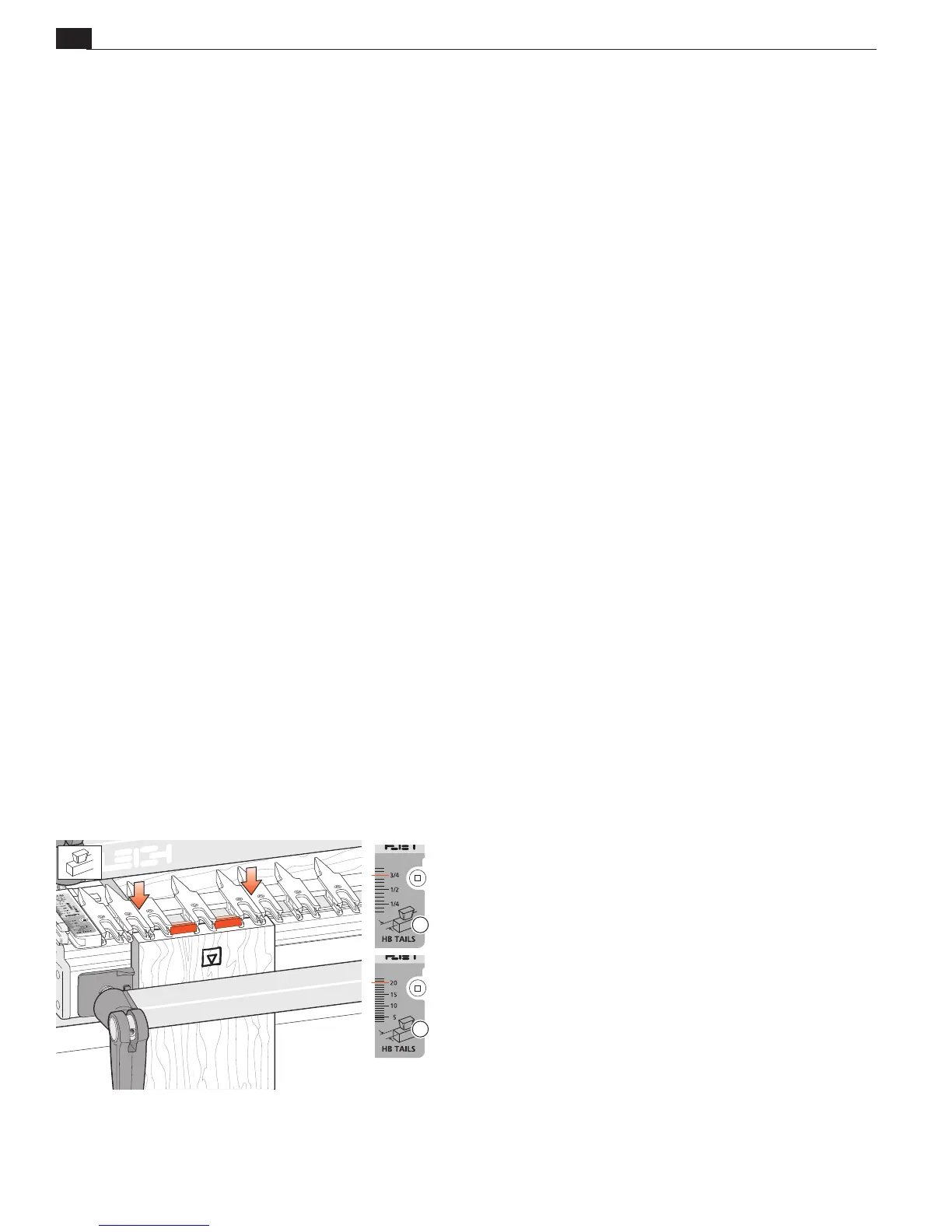
Where finger assembly scales overlay an illustration, the “inches”
scale
will be at the top, the “millimeters” scale
will be at the
bottom. Only the front “active” half of the scales are illustrated.
For clarity, setting positions are indicated with a red line in the
user guide only. On the jig, the lines are black.
1
2


 To Next Page