24
Adjustment of the welding parameters
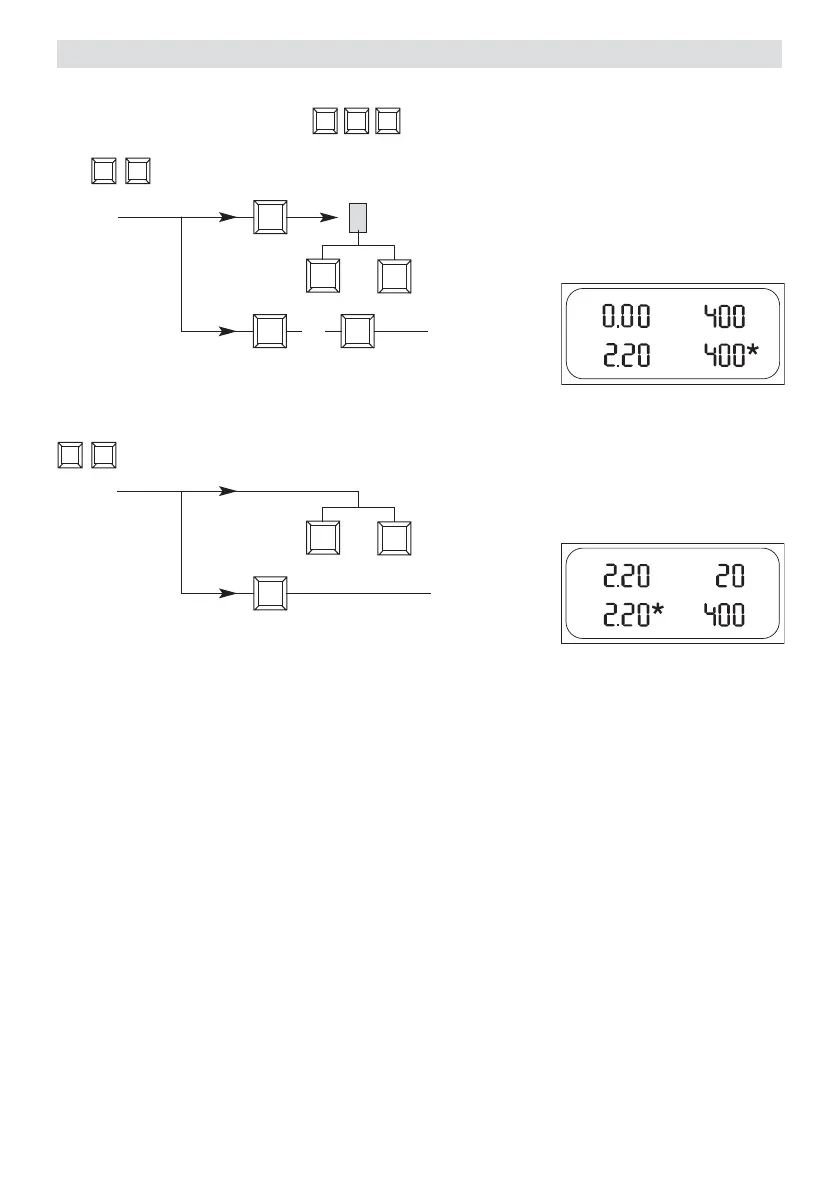
Heating
cursor will blink on
the display
H
Welding temperature
Set the welding temperature with the keys. The temperature is dependent on the material and
the ambient temperature. The in-put SET value will be shown on the display. Switch on the heating by pressing the
and keys simultaneously. Heating up time approx. 5 mins.
+
–
H
+
H
Drive
ON/OFF
SET value adjustment
–
+
M
ON/OFF
SET value setting
–
+
+
&
H
Welding Speed
According on the film or geomembrane liner and the influence of the weather, set the welding speed with the
keys. The in-put SET value will be shown to the display.
t.
+–






 To Next Page