26
If malfunction is still present, contact service centre.
< Overload Indication
*
Heating / Drive active
Check the welding process and identify
faults by means of the display of power
consumption.
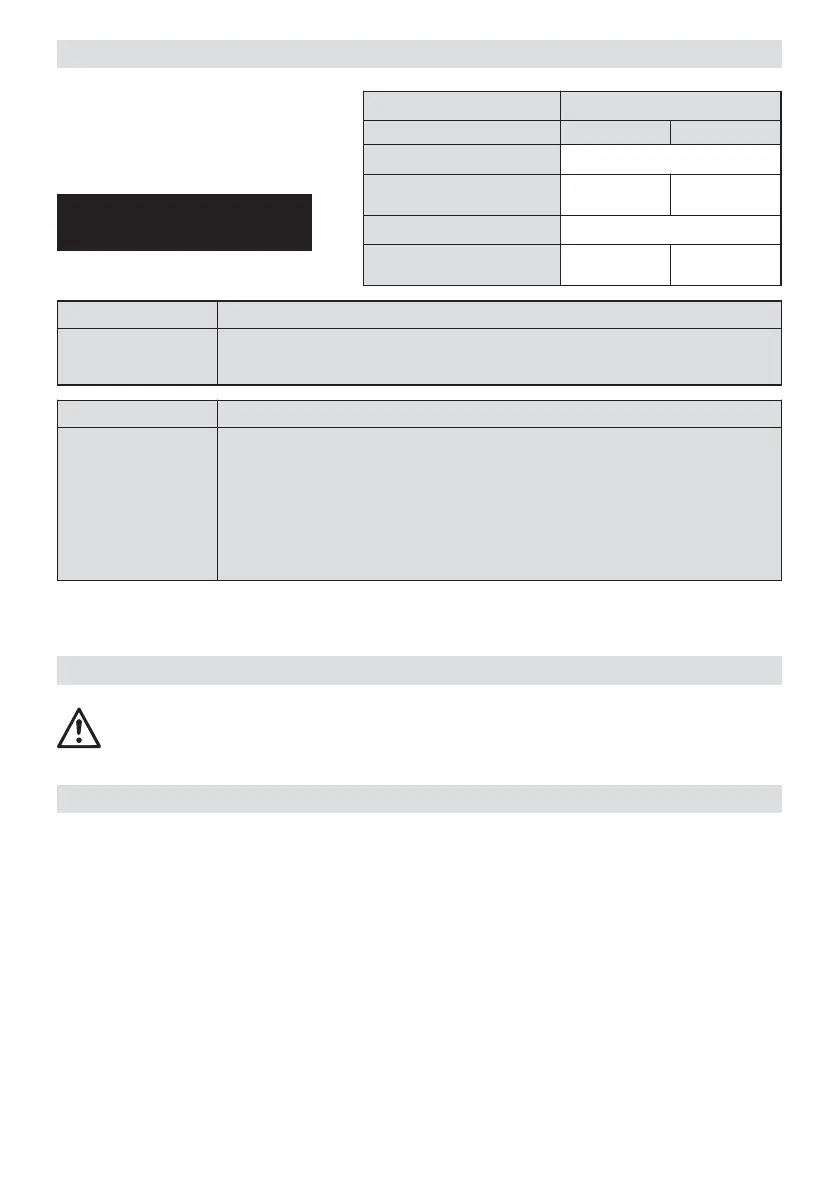
Operating conditions
Display no. Level
Drive / heating Main Control
1. Welding speed ACTUAL value
2. Welding speed SET value
Power
consumption
3. Temperature ACTUAL value
4. Temperature SET value
Power
consumption
Display 4 Heating reason for fault after heating up time
100 %
100 %
• mains under-voltage
• heating cartridges faulty
Display 2 Drive reason for fault
100 %
100 % or <
100 % or <
100 % or <
100 % or <
• mains under-voltage
• overlap of the geomembrane liner too wide
• dirt on the drive rollers (20/21)
• max. welding pressure (1000 N) has been exceeded
• high welding speed with large sudden overload
(ie anchoring trench, T-joints....)
Perform a test welding according to the welding instructions of the material manufacturer
and the national standards or guidelines. Check the test welding.
• Drive/pressure rollers (20/21), idler wheel (28), lower guide plate (30) and upper guide plate (29) as well
as the hot wedge (7) must be clean.
• Film and sealing membranes must be clean between the overlap and on the upper and lower surfaces.
• Length of the power supply cord/cable guide.
Check
Test weld





 To Next Page